Proxmox VE’s pve-manager is the right comparison shape
for Coppice’s operator surface because it makes the same trade we
make: one browser-only console, no client install, a single tree on
the left and a tabbed workbench on the right. Everything else —
guests, storage, networking, snapshots, consoles, tasks, auth,
cluster state — is a tab, not a different application.
This page is the descriptive spec of that surface; the row-by-row
Coppice parity map at
/appendix/proxmox-comparison reads against it.
Screenshots below are linked from pve.proxmox.com/pve-docs/
and mirrored under /proxmox/. They are taken from the
current Proxmox VE Administration Guide (PVE 9.x) and from the
matching wiki chapters; per-image source URLs sit in each
<figcaption>. The intent is descriptive, not
visual fidelity — Coppice’s /admin does not have to
look like Proxmox to behave like Proxmox.
Login and shell
The first thing the operator sees is a small modal with username,
password, realm picker, and language. Realms are Proxmox’s pluggable
auth backends — pam, pve (built-in),
ldap, ad, openid. Selecting a
realm changes which directory the credentials hit; everything after
login is the same shell.
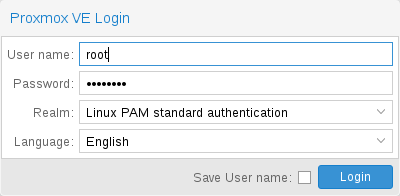
Login dialog with realm and language pickers. Source: pve-docs/images/screenshot/gui-login-window.png.
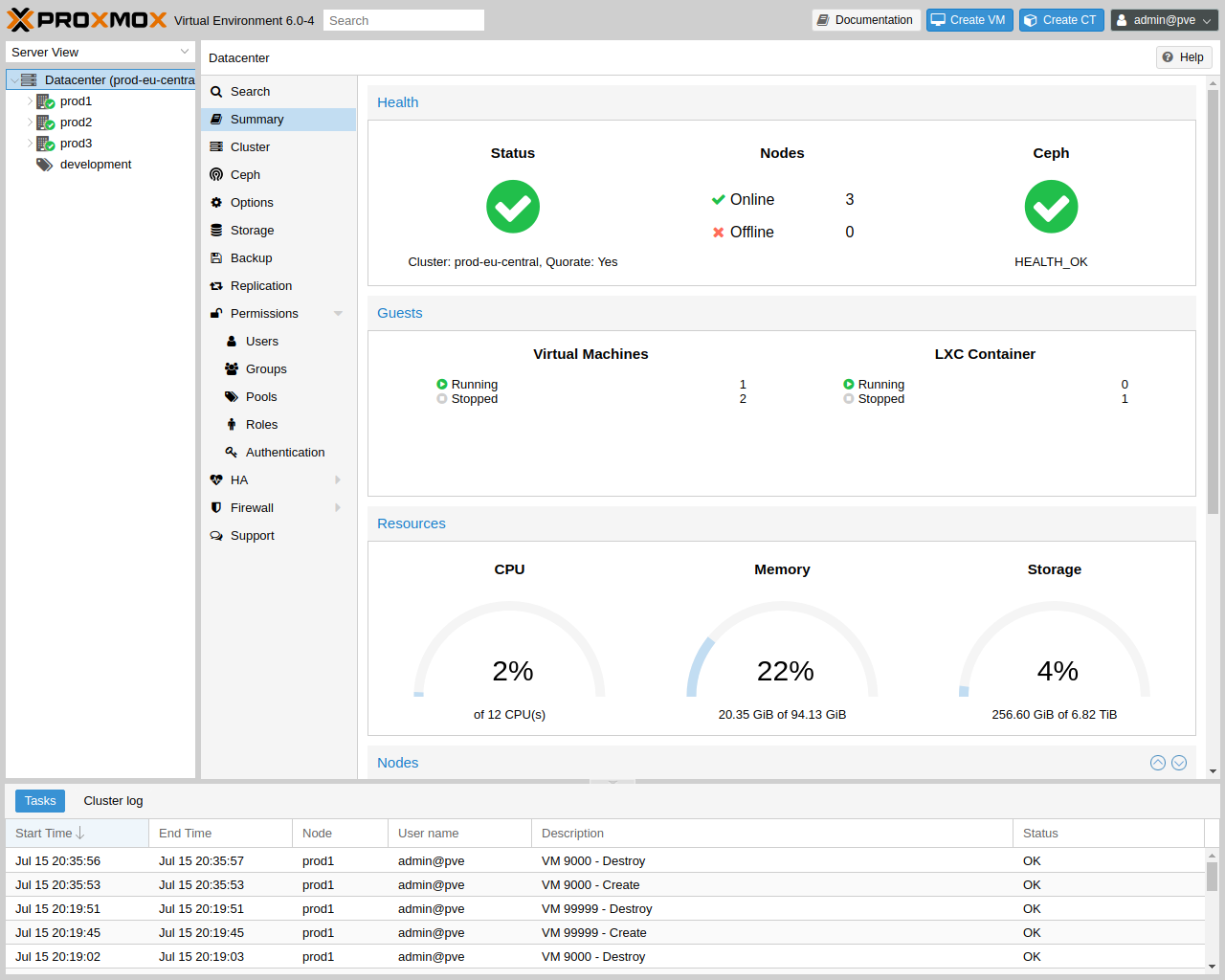
The shell after login is four regions: a fixed top header, a left resource tree, the main workbench in the centre/right, and a bottom status panel that the operator can collapse. Every region is the same on every page; what changes is what the workbench renders for the selected resource.
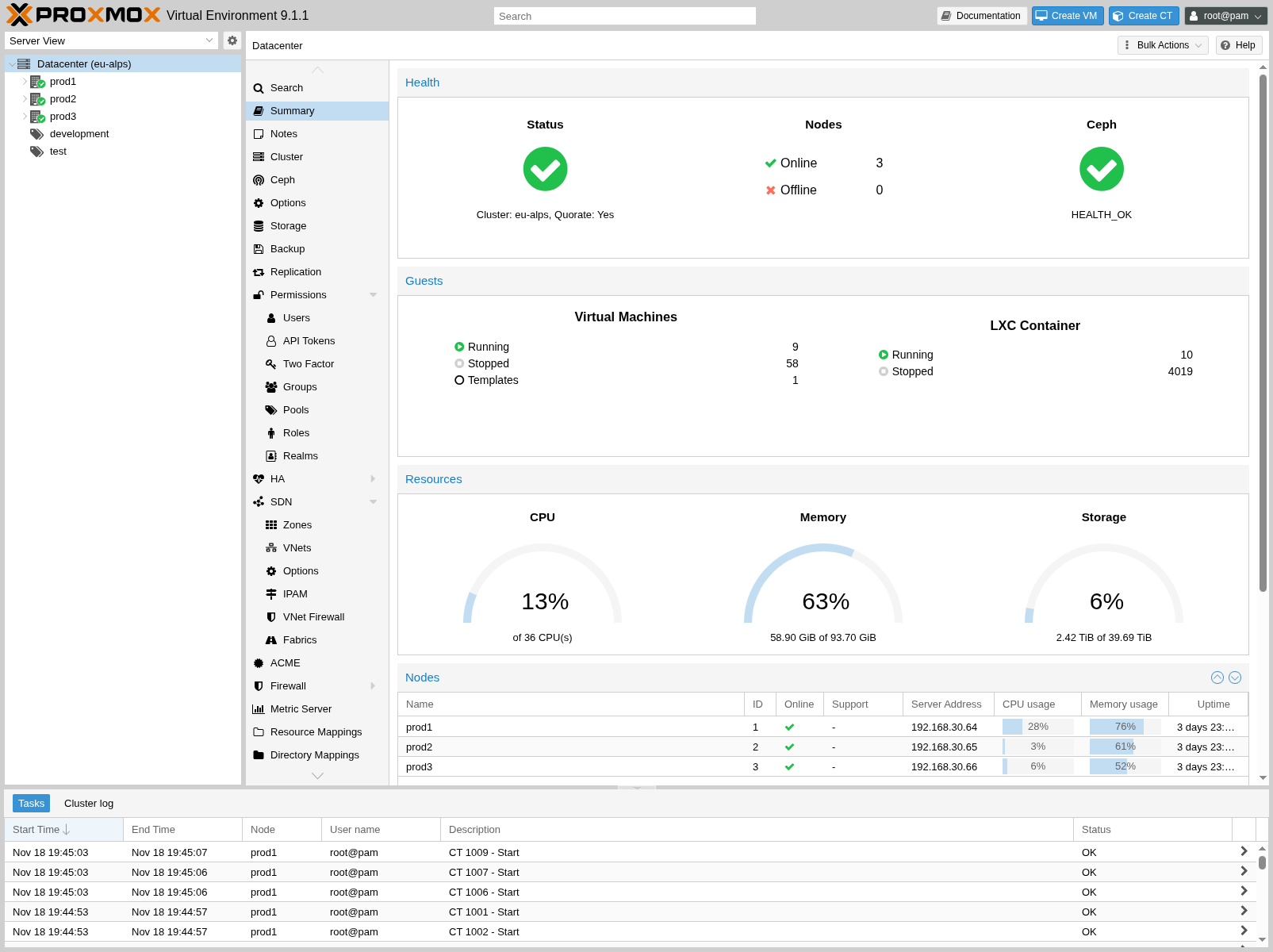
The four-region shell, showing the Datacenter summary tab. Header on top, resource tree on the left, summary panels on the right, task panel collapsed at the bottom. Source: pve-docs/images/screenshot/gui-datacenter-summary.png.
Top chrome
The header bar is fixed. Reading left to right:
| control | type | notes |
|---|---|---|
| Proxmox logo + version | link | Returns the workbench to the Datacenter root. |
| Server view picker | control | Switches the resource tree between server view, folder view, storage view, pool view, and tag view. The same physical inventory regrouped by axis. Coppice’s /admin would benefit from this — it is one of the most distinctive Proxmox affordances. |
| Documentation | link | Opens a context-sensitive help drawer or the bundled HTML admin guide. |
| Create VM | action | Opens the Create VM wizard. Action is always available, target node is selected inside the wizard. |
| Create CT | action | Same shape, LXC container. Coppice has one create-machine wizard rather than two; the type column inside it does the same job. |
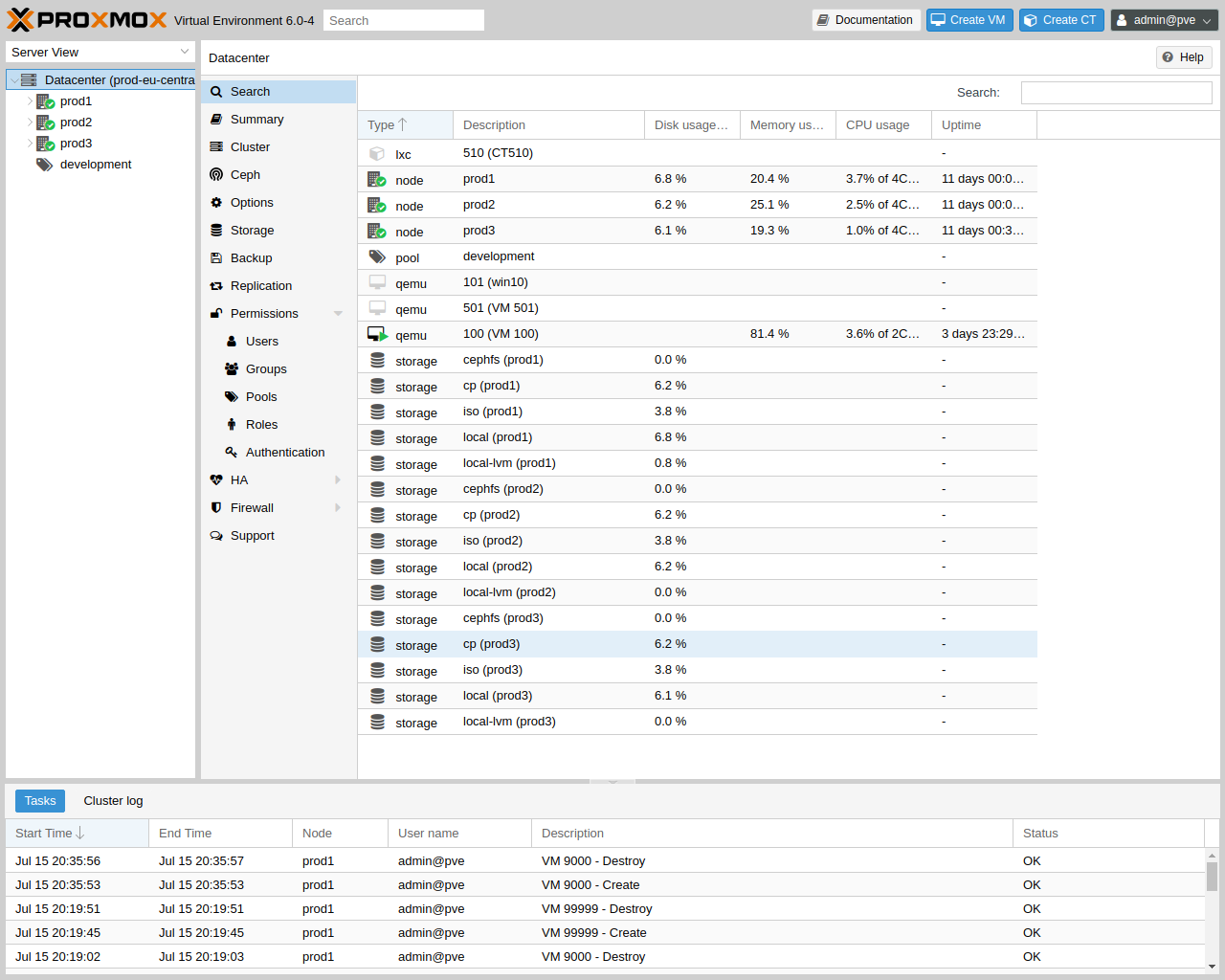
| Search | control | Cluster-wide search across nodes, guests, storage, pools, tags, IDs. Returns a flat hit list with type/name/node/status columns. |
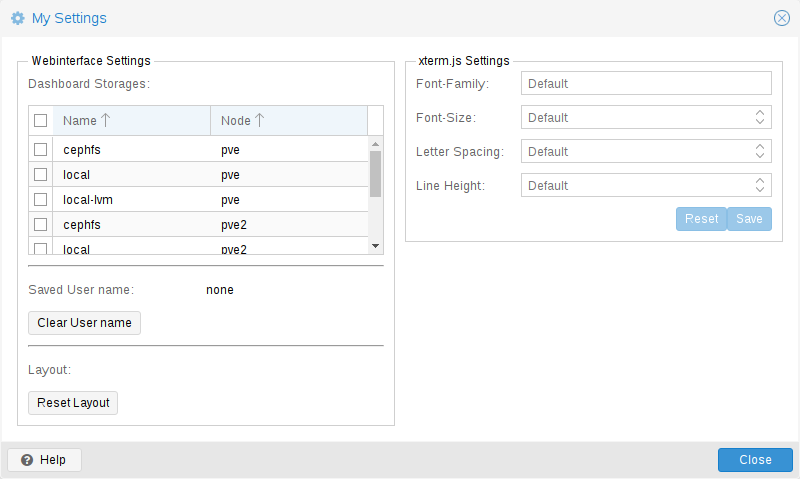
| User / realm menu | control | Logged-in identity, password, TFA, language, theme, my-settings, logout. my-settings exposes per-user dashboard layout, xterm.js options, and confirmation toggles. |
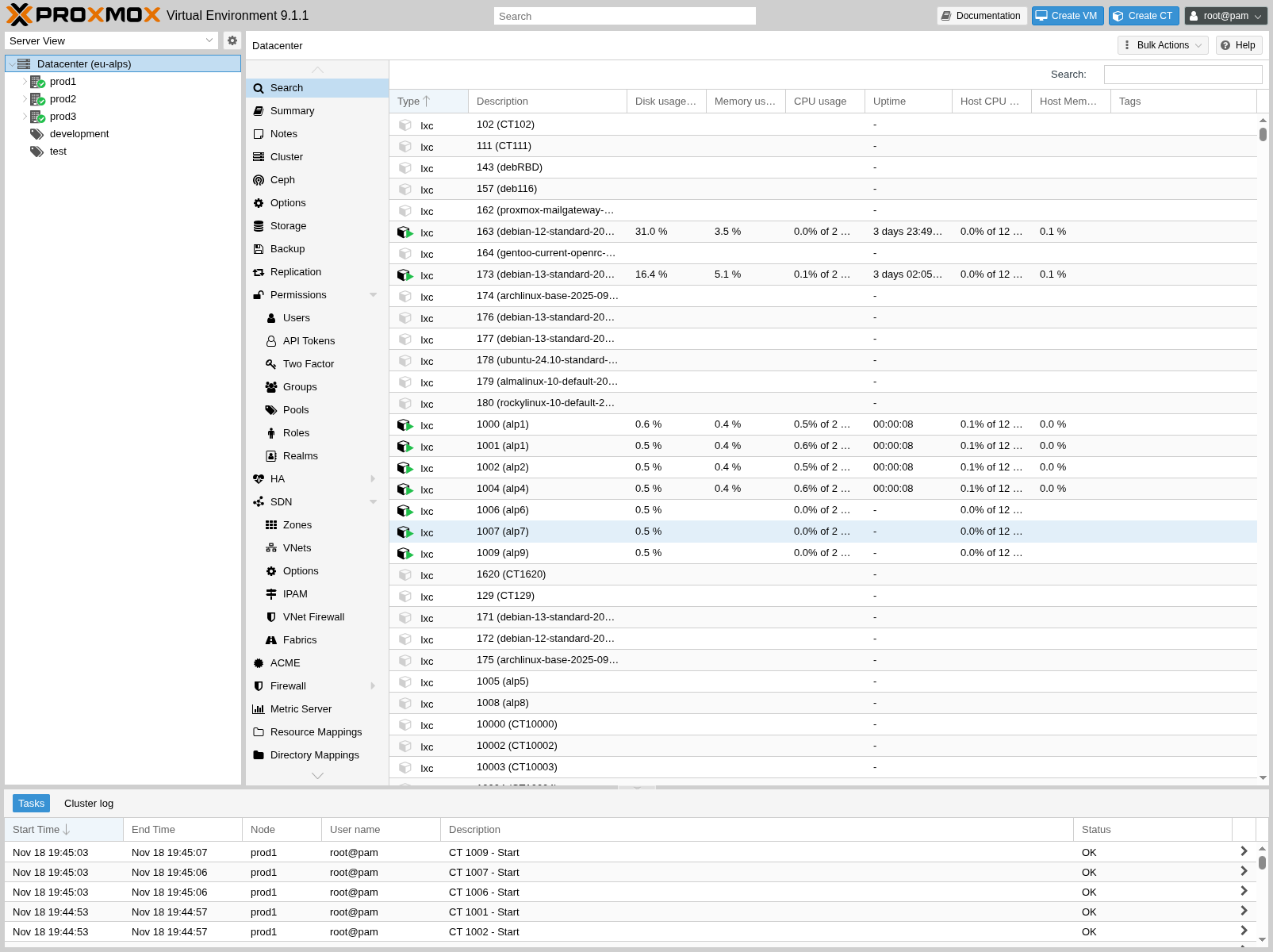
Cluster-wide search hit list. Same workbench, the search tab fans out matches across every resource type. Source: pve-docs/images/screenshot/gui-datacenter-search.png.
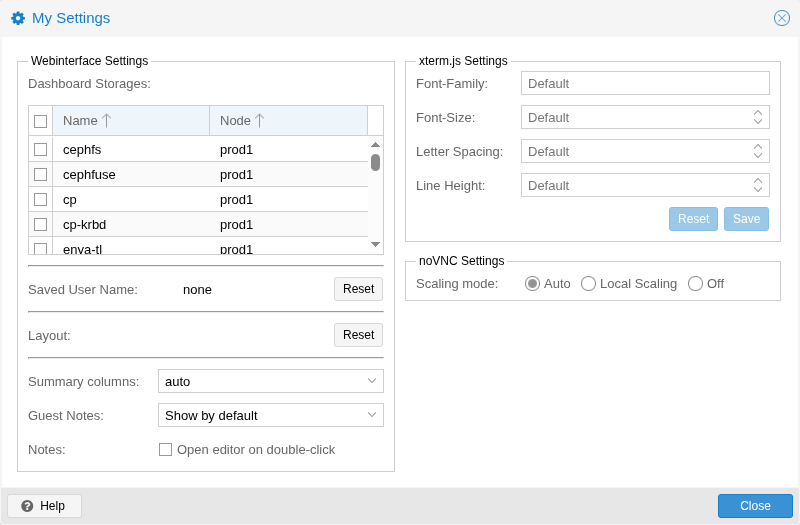
My Settings — per-user UI preferences (xterm.js, dashboard storage, layout, confirmations). Source: pve-docs/images/screenshot/gui-my-settings.png.
Resource tree (left)
The tree is the operator’s spatial map of the cluster. Top of the tree is always Datacenter. Below it sit nodes; below each node sit guests, storage entries that exist on that node, and local resources. Templates appear as italicized guest rows. SDN and Pools are nominally datacenter-scoped, but they are reachable as their own subtrees too.
The same inventory can be regrouped by:
- Server view — Datacenter → node → guests/storage on that node. The default.
- Folder view — Datacenter → all-of-type → entries. Useful when you operate by guest, not by node.
- Storage view — Datacenter → storage → backing guests. Used for “where do my disks actually live.”
- Pool view — Datacenter → pool → members. Used when permissions are assigned at the pool level.
- Tag view — Datacenter → tag → tagged guests.
A small filter input above the tree narrows visible rows by name, ID, or tag. The tree is virtualised so a 5,000-guest cluster is fine.
Datacenter view
Selecting Datacenter loads a tab strip across the top of the workbench. Each tab below is a distinct page; the strip is what makes Proxmox’s surface feel tabbed.
| tab | role | what it shows |
|---|---|---|
| Summary | read | Cluster-wide health, node count, guest count, aggregate CPU/RAM/storage usage, version. |
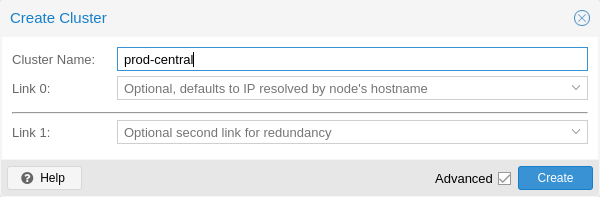
| Cluster | edit | Cluster create / join, node list, corosync ring info, join-info clipboard. Single-node Coppice is a degenerate case of this. |
| Ceph | edit | Cluster-wide Ceph install/monitors. Out of scope for Coppice. |
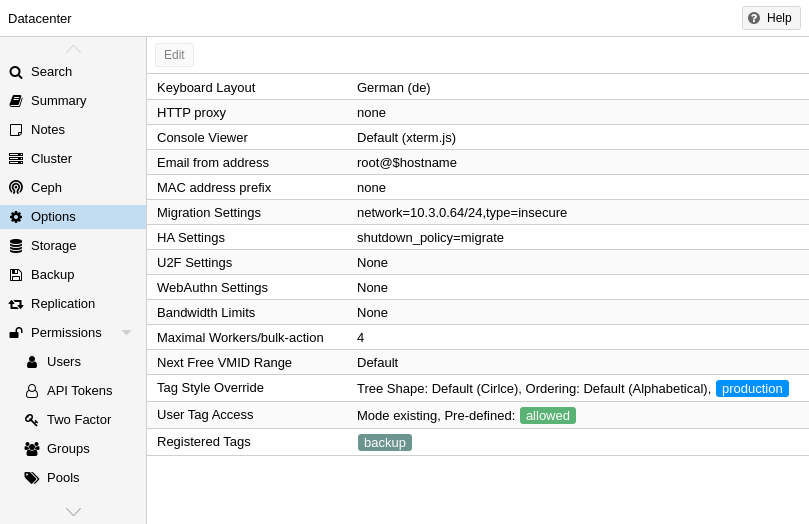
| Options | edit | Cluster-wide defaults — keyboard layout, console viewer, email, MAC prefix, migration network, HA shutdown policy, tag style, U2F/WebAuthn config, SDN flag, next-free VMID. |
| Storage | edit | Datacenter-level storage definitions. Add exposes a dropdown of backends — dir, lvm, lvmthin, zfs, nfs, cifs, iscsi, cephfs, rbd, pbs, glusterfs, btrfs. Per-row edits include content types (images, iso, vztmpl, backup, rootdir, snippets), nodes, max-backups, shared flag. |
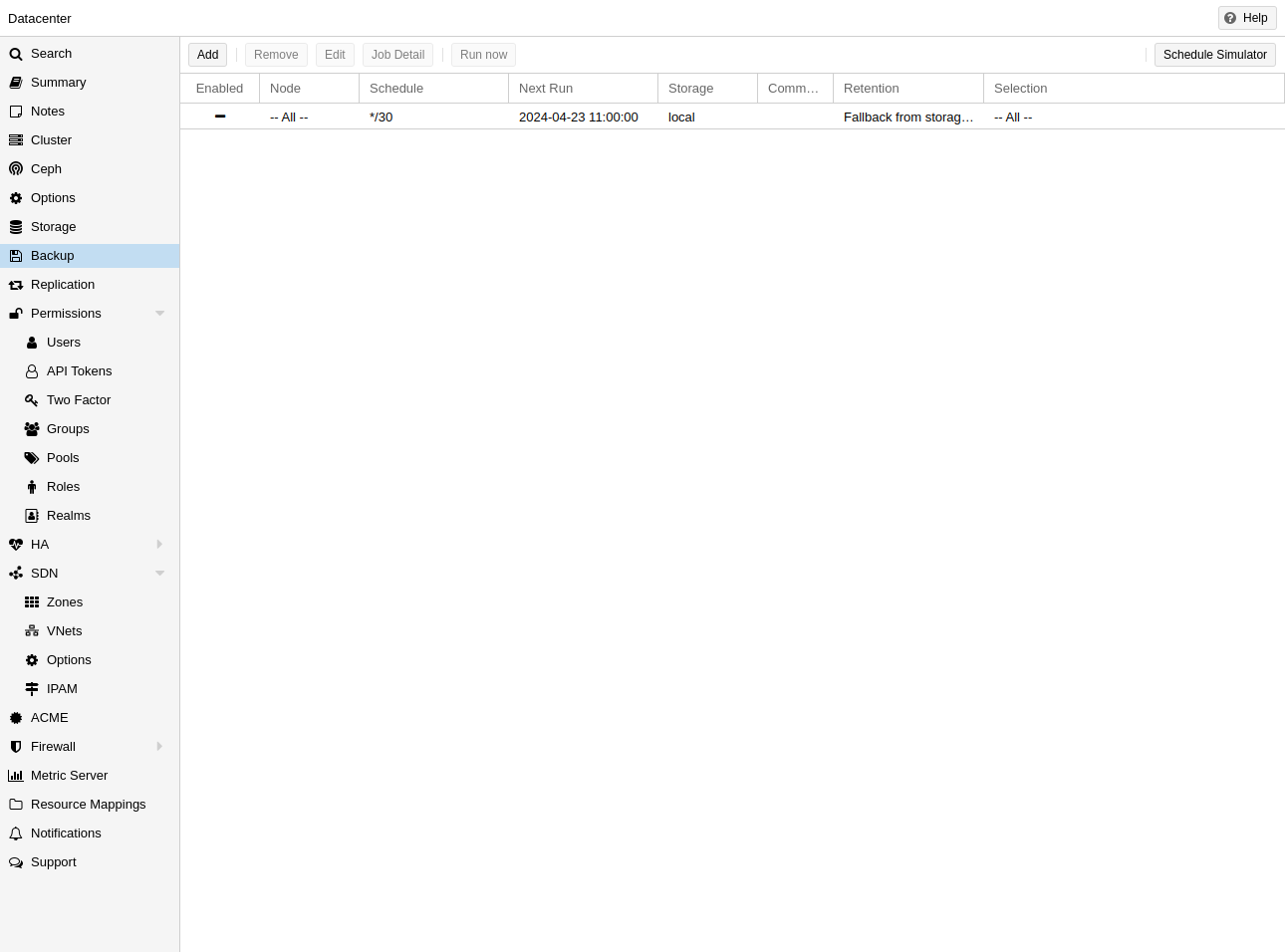
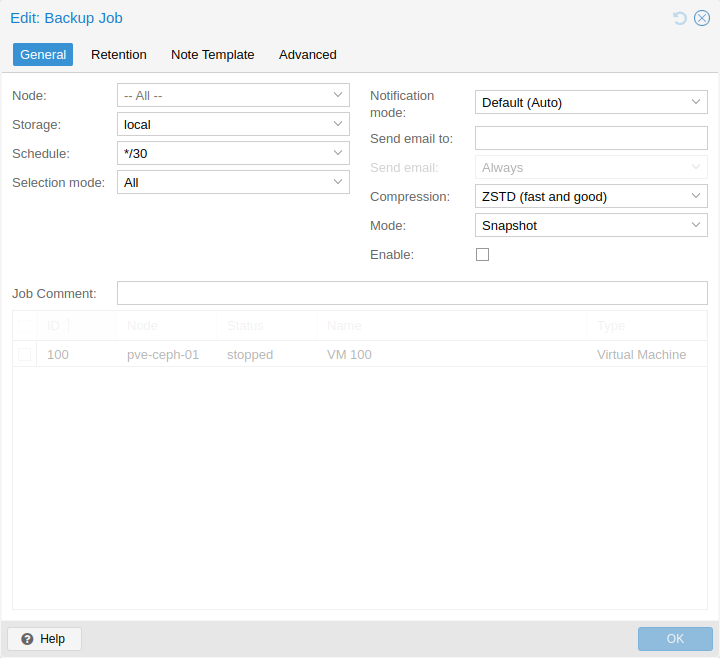
| Backup | edit | Backup jobs — schedule (cron-style), source guests / pools / all, target storage, retention policy (keep-last/daily/weekly/monthly/yearly), notes template, mode (snapshot/suspend/stop), bandwidth, mailto, repeat-missed. |
| Replication | edit | ZFS storage replication jobs between nodes. Source guest, target node, schedule, rate-limit, comment. |
| Permissions | edit | Users, API tokens, two-factor, groups, pools, roles, ACL entries, realms (PAM, PVE, LDAP, AD, OpenID). Each subtab is its own grid + editor dialog. |
| HA | edit | High-availability resources, groups, fencing status. Out of scope for single-node Coppice but the table shape is what the cluster-overlay sketch will eventually echo. |
| ACME | edit | ACME accounts, plugins, challenge configurations for automated TLS. |
| Firewall | edit | Datacenter-level firewall: rules, security groups, aliases, IPSets, options. Inheritable into nodes and guests. |
| Metric Server | edit | External time-series sinks — InfluxDB and Graphite. Coppice’s tracing/Prometheus answer is the equivalent role. |
| Notifications | edit | Targets (gotify, sendmail, smtp, webhook), matchers, notification mode per backup job, default mail-from. |
| Support / Subscription | read | Subscription key, level, support links. Self-hosted Coppice has no upstream meter. |
| SDN | edit | Software-defined networking — see the SDN section below. |
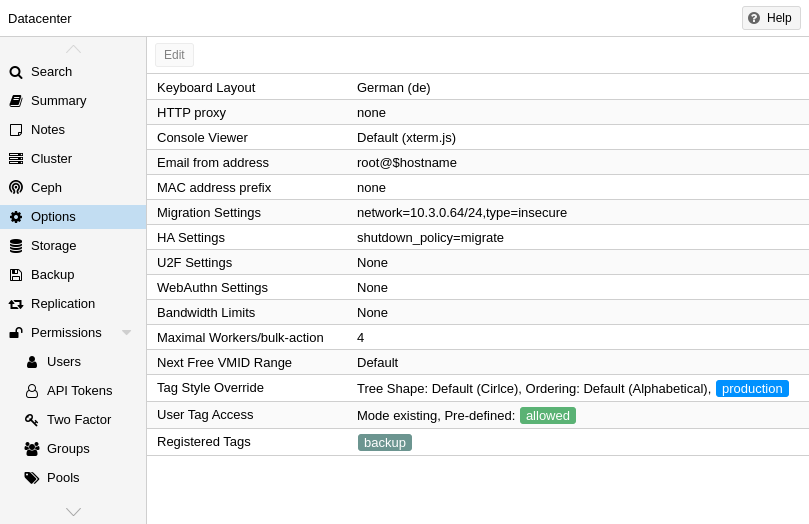
Datacenter → Options. Cluster-wide defaults rendered as a single key/value grid with double-click-to-edit cells. Source: pve-docs/images/screenshot/gui-datacenter-options.png.
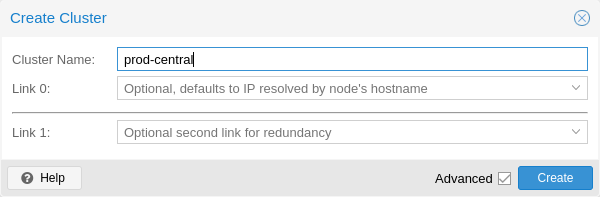
Datacenter → Cluster → Create Cluster. The minimal join shape: cluster name, link addresses, redundancy. Source: pve-docs/images/screenshot/gui-cluster-create.png.
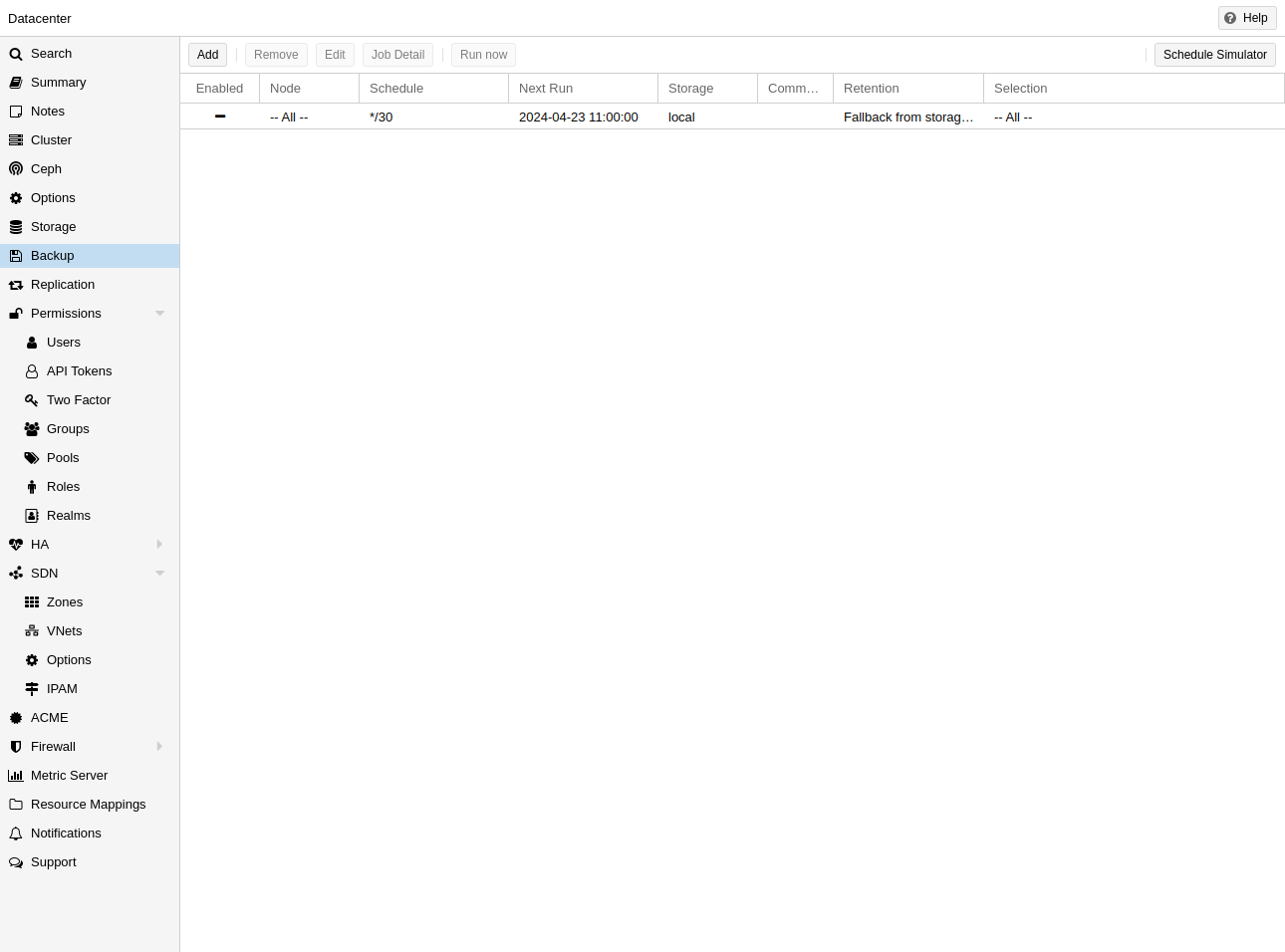
Datacenter → Backup. Job grid with add/edit/run-now/show-log actions; one row per scheduled backup job. Source: pve-docs/images/screenshot/gui-cluster-backup-overview.png.
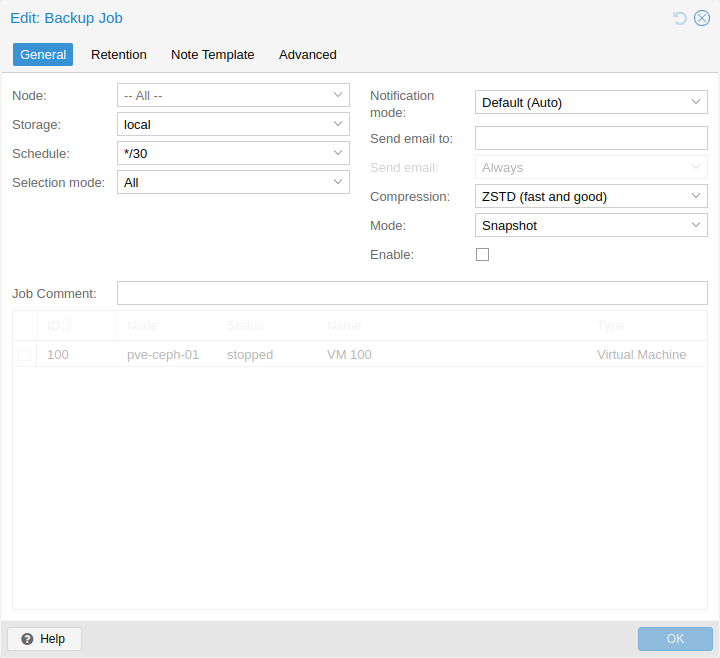
Backup job editor — General tab: node, storage, schedule, mode, selection mode, mail. Source: pve-docs/images/screenshot/gui-cluster-backup-edit-01-general.png.
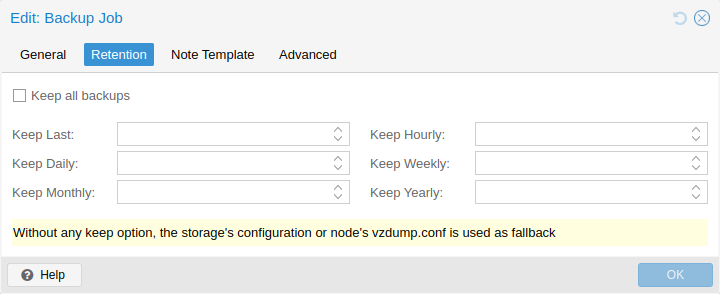
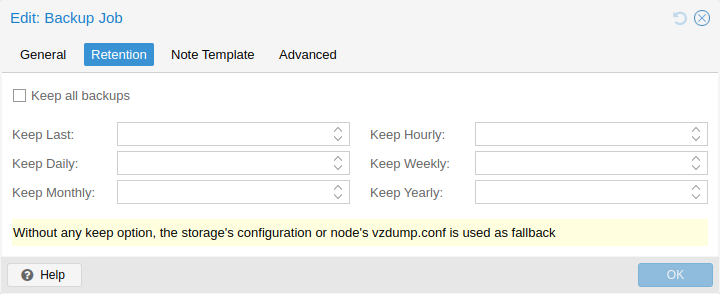
Backup job editor — Retention tab: keep-last / hourly / daily / weekly / monthly / yearly. Source: pve-docs/images/screenshot/gui-cluster-backup-edit-02-retention.png.
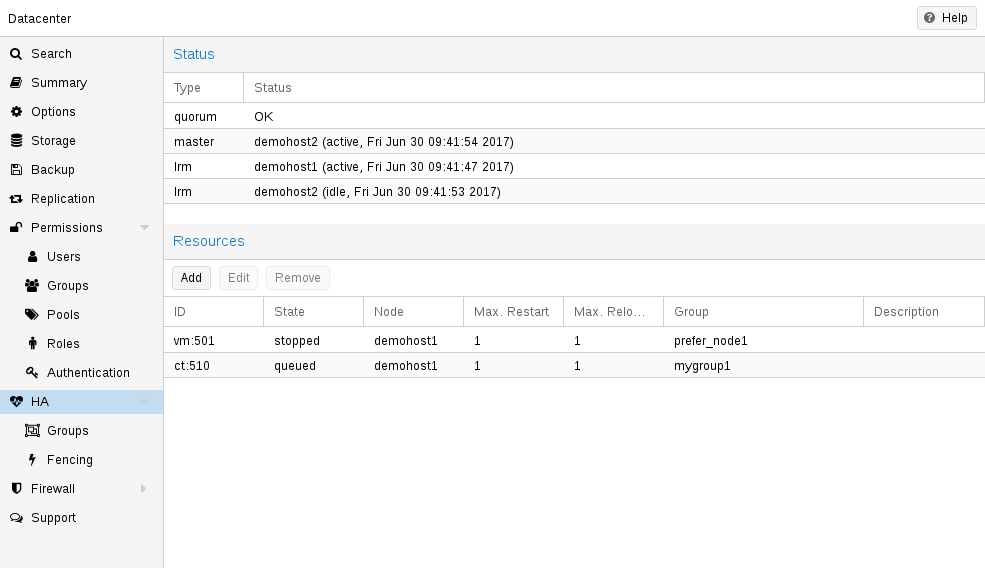
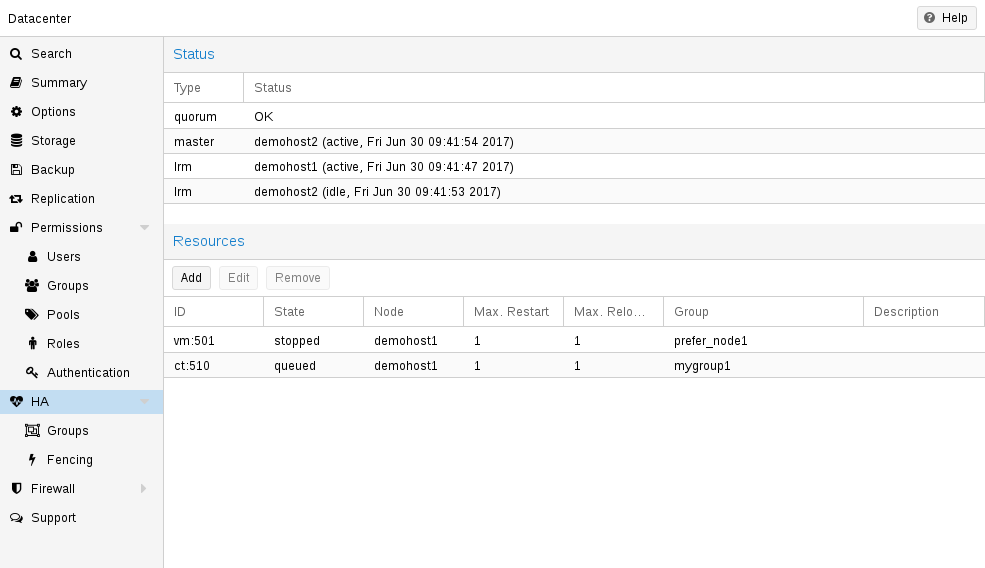
Datacenter → HA. Manager status: quorum, master node, LRM state per node, managed services and their current/requested state. Source: pve-docs/images/screenshot/gui-ha-manager-status.png.
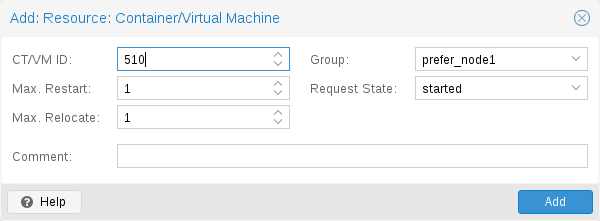
HA → add resource. Pick a guest, request-state, max relocate/restart, group, comment. Source: pve-docs/images/screenshot/gui-ha-manager-add-resource.png.
Node view
Selecting a node loads a node-scoped tab strip. The tabs are the host operator’s view: hardware, OS state, services, packages, certs, time, DNS, syslog, plus per-node analogues of the cluster-wide tabs.
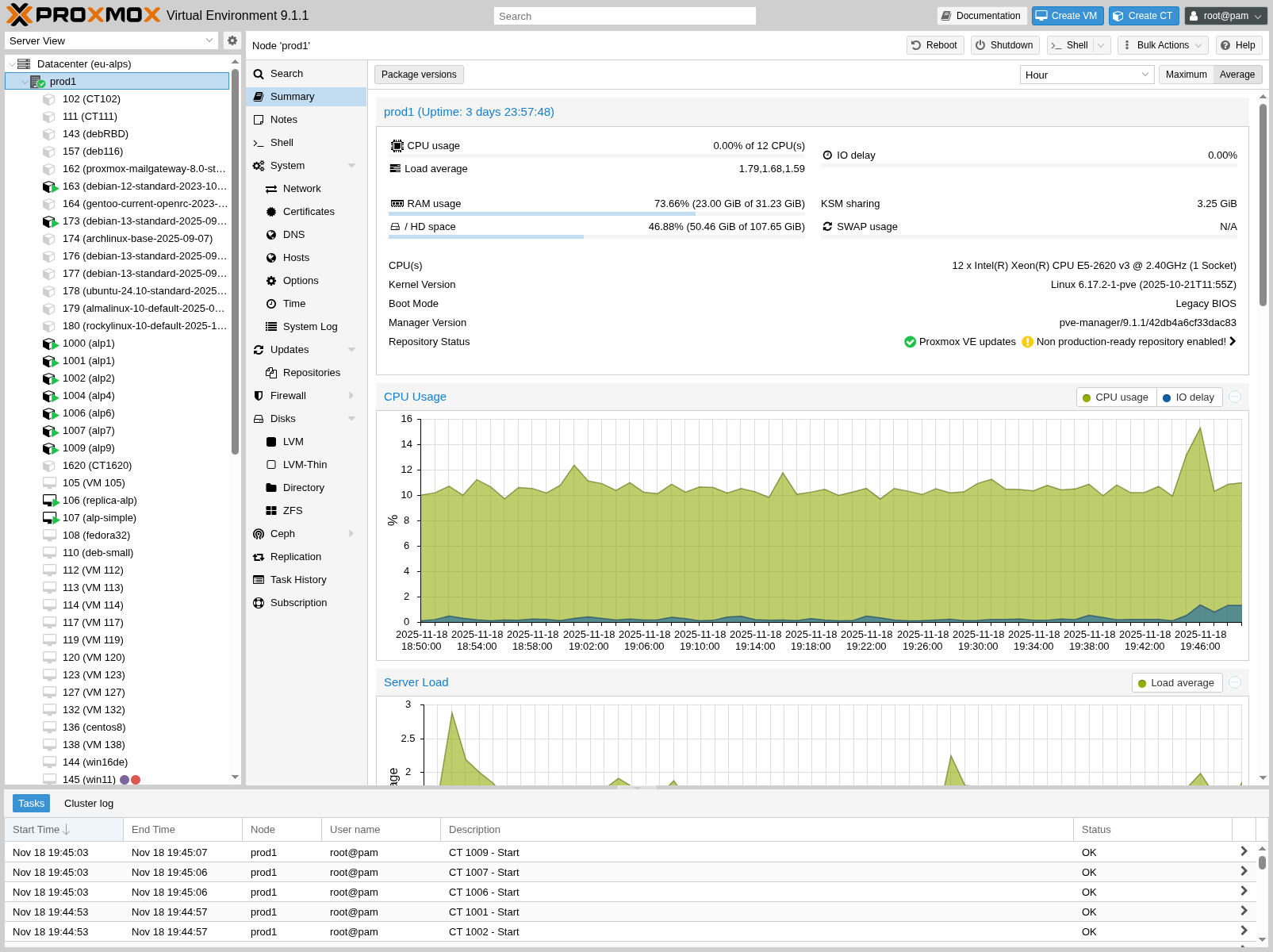
Node → Summary. Host CPU/RAM/IO load history, package version, uptime, swap, KSM, repository status. Hover to read a sample. Source: pve-docs/images/screenshot/gui-node-summary.png.
| tab | role | what it shows |
|---|---|---|
| Summary | read | Live CPU/RAM/IO/swap/KSM history, package versions, kernel, repo health. |
| Shell | edit | xterm.js host shell (root). The tab persists across navigation; closing the shell ends the session. |
| System | edit | Container view of services, network interfaces (with bridge/bond editor), DNS, hosts, time, syslog, kernel, RRD graphs. |
| Updates | edit | Available package upgrades, refresh-now, upgrade-now (opens an xterm to the apt run), changelogs, history. |
| Repositories | edit | Editable apt sources list, well-known PVE/Ceph/Backports repo toggles, status checks for “no-subscription warnings.” |
| Firewall | edit | Per-node firewall rules and options, layered on top of the datacenter ruleset. |
| Disks | edit | Disk inventory with SMART, wipe, GPT init. Subtabs for ZFS, LVM, LVM-Thin, Directory, Btrfs — each lets the operator create that backend on a chosen disk. |
| Ceph | edit | Per-node Ceph daemons (monitor / manager / OSD / metadata server / pool view). Out of scope for Coppice. |
| Replication | read | Per-node view of cluster-wide replication jobs. |
| Task History | read | All API tasks scoped to this node, with status, user, time, and a per-row “View” that opens the captured stdout/stderr. |
| Subscription | edit | Per-node subscription key. Self-hosted Coppice has no equivalent. |
| Certificates | edit | Per-node TLS cert lifecycle, ACME order, custom upload, fingerprint. |
| DNS / Hosts / Time | edit | resolv.conf, /etc/hosts, NTP / chrony source — surfaced as forms. |
| Syslog | read | Live tail of journald with filter on unit, severity, since. |
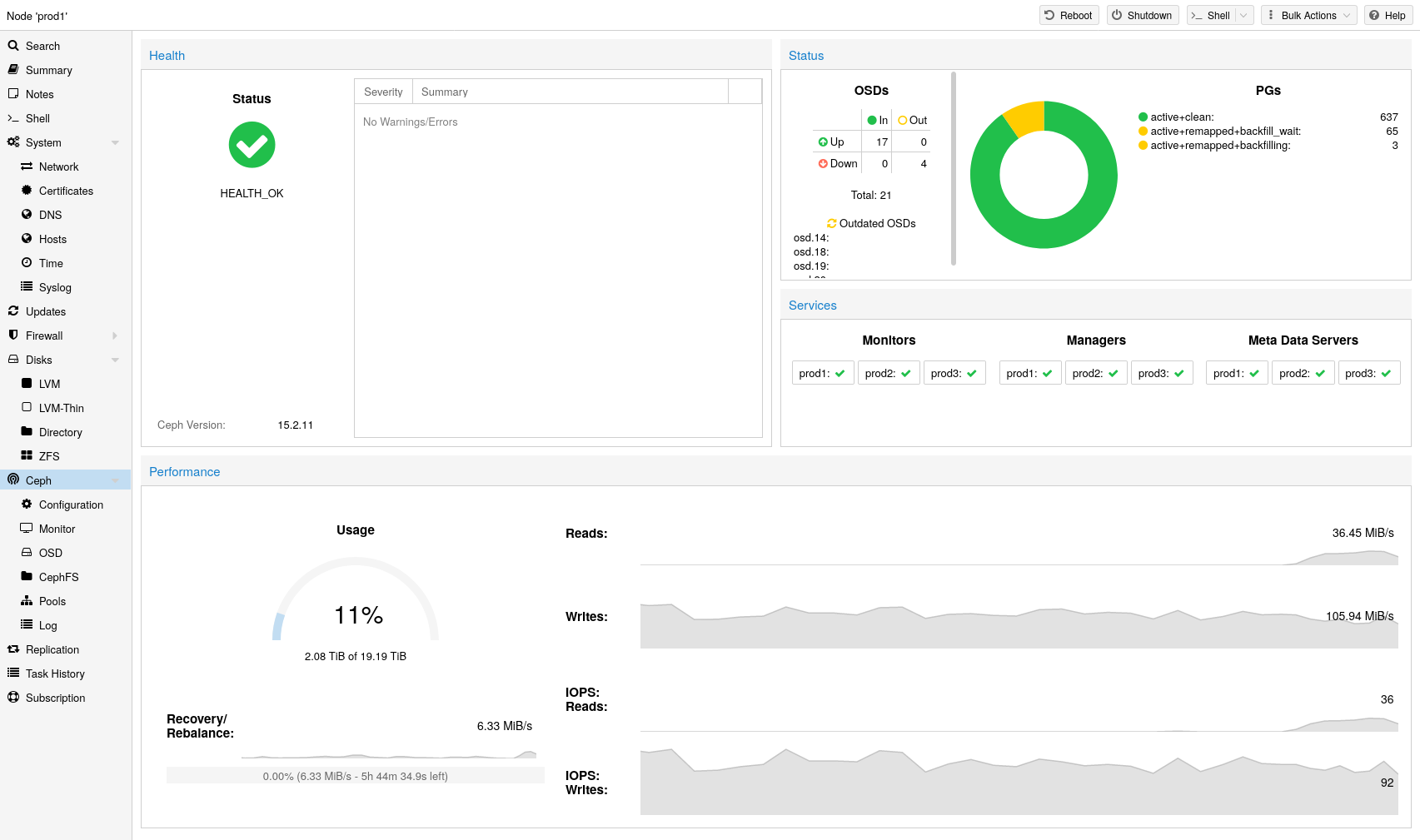
Per-node Ceph dashboard. Shown for completeness — Coppice does not implement Ceph, but the panel layout (status header, per-pool grid, performance series) is the same shape PVE re-uses across storage backends. Source: pve-docs/images/screenshot/gui-ceph-status-dashboard.png.
Guest views (VM and CT)
Guest tabs are the densest part of the surface. A VM (qemu) and a CT (LXC) share most tabs; the differences are noted inline.
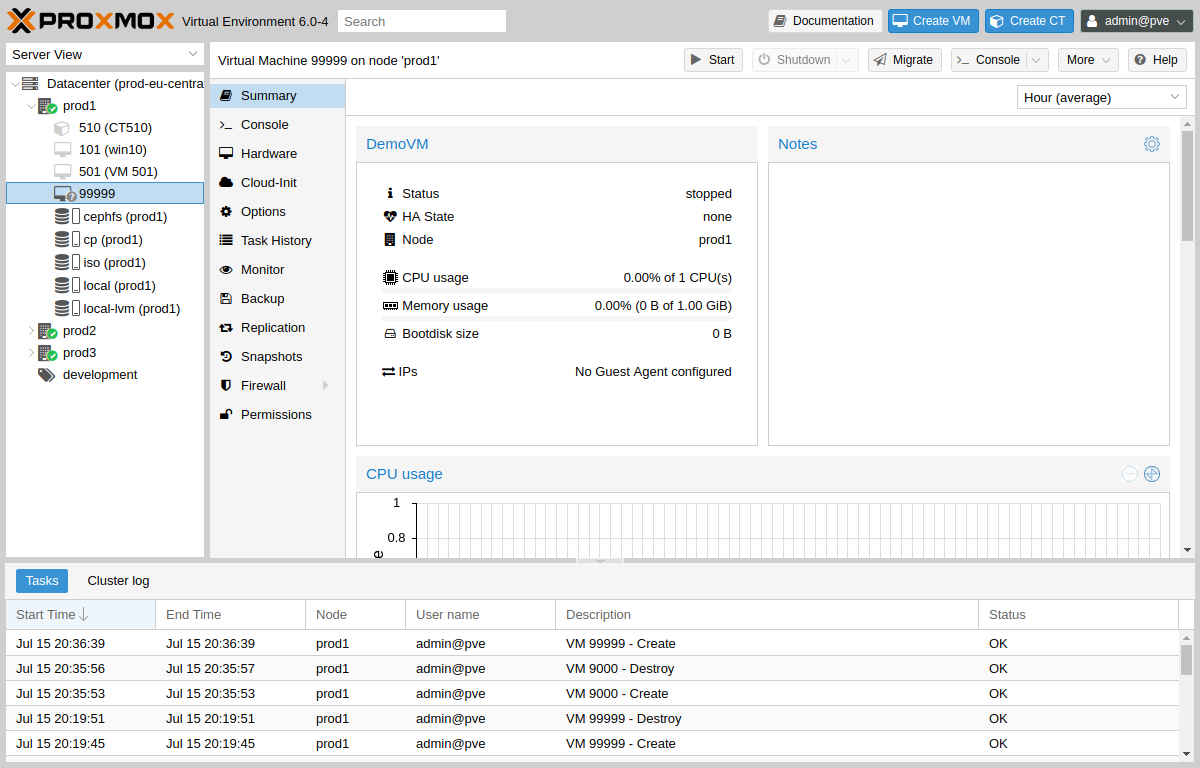
Guest → Summary. Status, IP, uptime, OS, tags, notes, plus miniature CPU/RAM/network/disk-IO history graphs. The lifecycle actions (Start, Shutdown, Stop, Reboot, Pause, Hibernate, Console) sit on the toolbar above this tab. Source: pve-docs/images/screenshot/gui-qemu-summary.png.
Tabs
| tab | role | what it shows / edits |
|---|---|---|
| Summary | read | Status, name, OS, IP via guest agent, uptime, mini-graphs, notes (markdown), tags. The “more like this” landing tab. |
| Console | edit | noVNC, SPICE (via launcher .vv file), or xterm.js (serial). Console-type picker sits in the tab header. Disconnect/reload toolbar on top. |
| Hardware | edit | Per-row inventory: Memory, Processors, BIOS, Display, Machine, SCSI Controller, CD/DVD, Hard Disk(s), Network Device(s), serial/USB/PCI passthrough, EFI Disk, TPM, CloudInit, audio, rng, vGPU. Each row is double-click-to-edit. Add dropdown for new hardware. Hot-plug honoured where the type allows. |
| Cloud-Init | edit | VM only: user, password, SSH public key, DNS domain/servers, IP config per NIC, cipassword toggle, regenerate ISO. Shown only when a CloudInit drive is attached. |
| Options | edit | Boot order, OS type, ACPI, KVM, freeze CPU at boot, hotplug classes, qemu-guest-agent toggle, protection, SMBIOS/UUID, RTC, hugepages, NUMA, spice enhancements, VNC keymap, start/shutdown automation, VirtIO RNG. |
| Task History | read | Per-guest task list: who did what, when, status, captured output. |
| Monitor | edit | VM only: an interactive QEMU monitor / HMP shell exposed in-browser. Type info status, info block, cont. Power-user surface. |
| Backup | edit | Per-guest backup history (per-storage), restore wizard (full-restore or single-file extract for PBS), backup-now, retention preview. |
| Replication | edit | ZFS replication jobs that target this guest. |
| Snapshots | edit | Snapshot tree (parent / current marker), Take Snapshot dialog with optional include-RAM, Rollback, Edit (rename/description), Delete. Live snapshots include guest memory when the storage backend supports it; otherwise filesystem-only. |
| Firewall | edit | Per-guest rules, options (firewall on/off, ndp, dhcp, log_level), aliases, IPSets. Per-NIC subtab for NIC-scoped policy. |
| Permissions | edit | ACL grid scoped to /vms/<vmid>: subject (user/group/token), role, propagate. |
Hardware tab field detail
Worth listing because Coppice’s Hardware tab maps row-for-row.
| field | type | notes |
|---|---|---|
| Memory | edit | MiB, plus optional ballooning min. Hot-plug supported when the OS and machine type allow. |
| Processors | edit | Cores, sockets, vCPUs, CPU type (host / kvm64 / x86-64-v2-AES / etc), NUMA, CPU limit, CPU units, flags (pdpe1gb, hv-tlbflush…). |
| BIOS | edit | SeaBIOS or OVMF (UEFI). UEFI requires an EFI Disk row. |
| Display | edit | Default / std / cirrus / vmware / qxl / serial / virtio / virtio-gl. Memory MiB, freeze toggle. |
| Machine | edit | i440fx (default) or q35 (PCIe). Pinned version selector. |
| SCSI Controller | edit | VirtIO SCSI single (default), VirtIO SCSI, LSI 53C895A, MegaRAID. Choice has perf+hot-plug consequences. |
| Hard Disk | edit | Per-disk: bus (IDE/SCSI/SATA/VirtIO), storage backend, size, format (raw/qcow2/vmdk), cache, async-IO, discard, IO-thread, SSD emulation, read-only, snapshot inclusion, replicate, throttling. Resize/move/reassign/detach/remove from the row toolbar. |
| Network Device | edit | Bridge, VLAN tag, model (VirtIO / e1000 / RTL8139 / VMXNET3), MAC, firewall toggle, MTU, multiqueue, rate limit (MB/s), disconnect. |
| CD/DVD Drive | edit | ISO from storage, physical pass-through, none. |
| PCI / USB / Serial / Audio | edit | Passthrough rows. PCI exposes mediated-device and PCIe flag; USB exposes host-port mapping. |
| CloudInit Drive | edit | Attached separately so the Cloud-Init tab has a target. |
| EFI Disk / TPM | edit | Required for OVMF / Windows 11; storage backend chooser. |
Lifecycle controls
Above the tab strip, the toolbar carries the lifecycle controls. The exact button set is:
| button | action | notes |
|---|---|---|
| Start | action | Boot the guest. |
| Shutdown | action | Graceful (ACPI / lxc-stop). Has a per-guest timeout. |
| Stop | action | Hard kill. Confirmation dialog. |
| Reboot | action | Graceful reboot. |
| Pause / Hibernate | action | VM only. Pause is in-RAM; Hibernate writes the state to a backing storage and resumes from disk. |
| Console | action | Pop the console out into a new browser window (separate from the in-tab Console). |
| More ▾ | menu | Clone (full / linked), Convert to Template, Migrate, Manage HA, Remove, Bulk actions, Edit notes, Edit tags. |
Create-VM wizard
The Create-VM wizard is the canonical multi-step Proxmox dialog. Its shape — left rail of step labels, body that swaps content, Next / Back / Confirm at the bottom — is the template every other “Create X” dialog uses (Create CT, Create Backup Job, Create Realm).
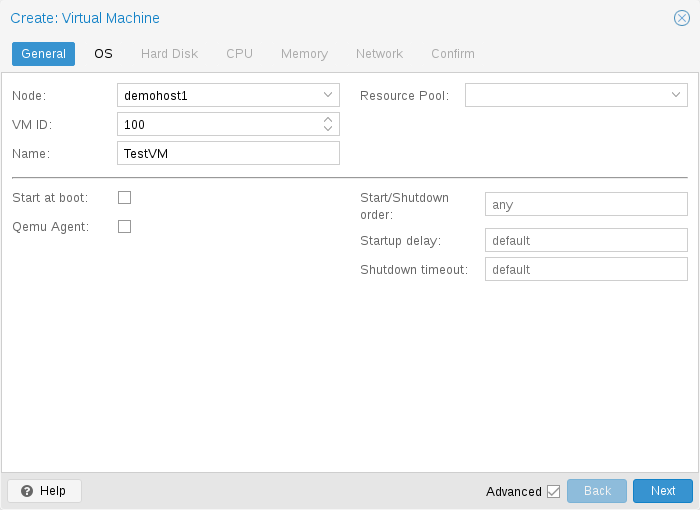
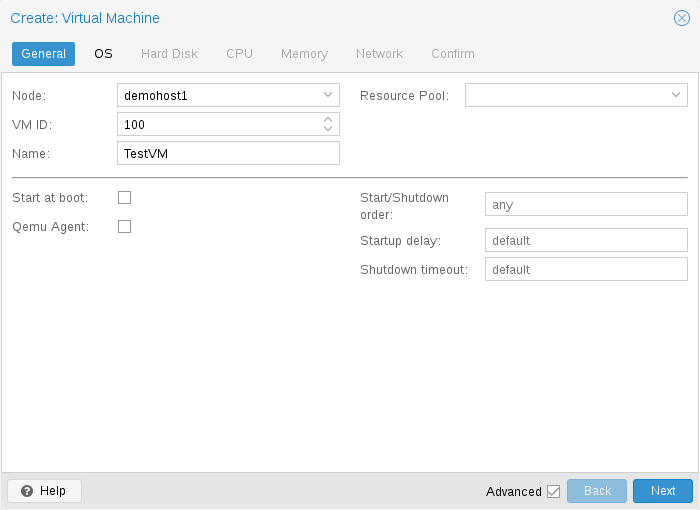
Step 1 — General: node, VMID, name, resource pool, start at boot, tags. Source: pve-docs/images/screenshot/gui-create-vm-general.png.
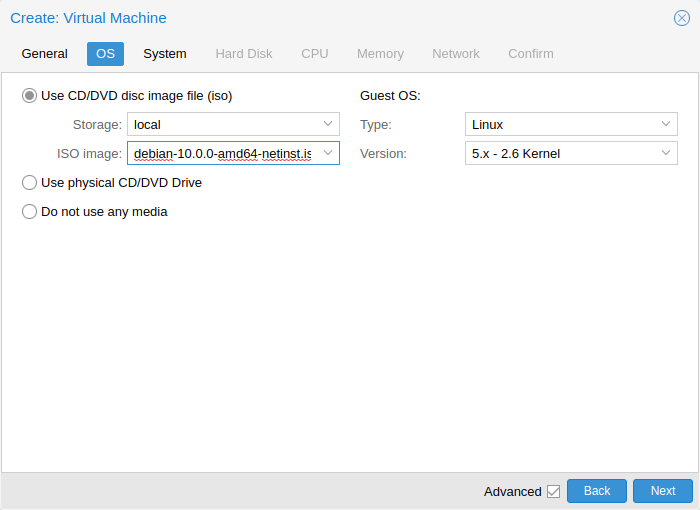
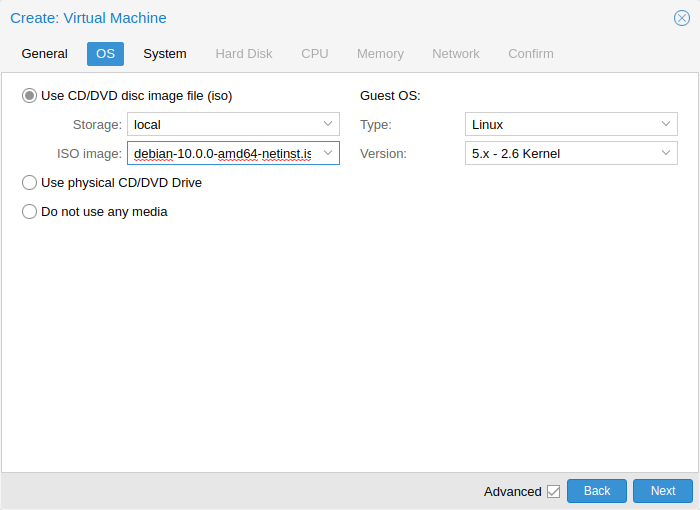
Step 2 — OS: ISO image (or “do not use any media”), guest OS family + version. The picker drives sane downstream defaults. Source: pve-docs/images/screenshot/gui-create-vm-os.png.
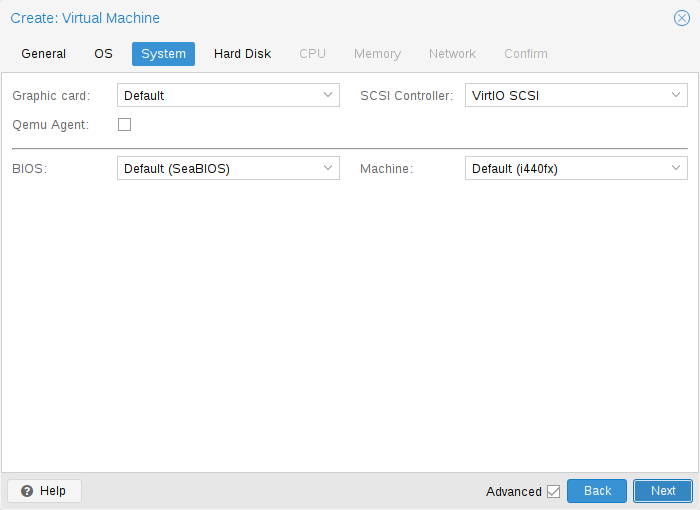
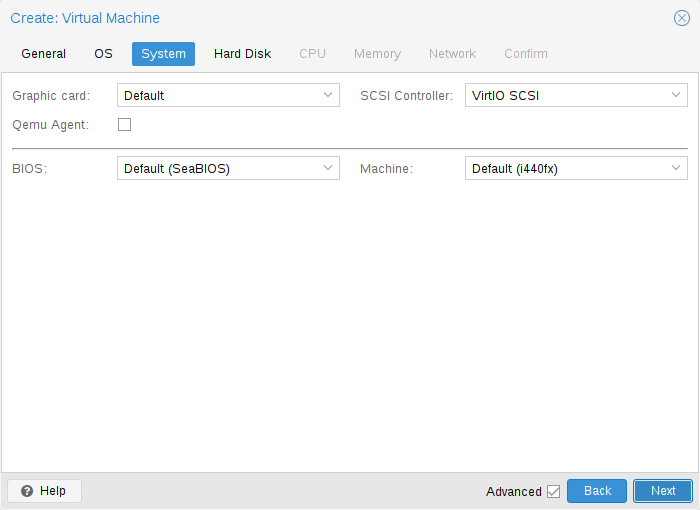
Step 3 — System: graphic card, machine type (i440fx / q35), BIOS (SeaBIOS / OVMF), SCSI controller, qemu-agent, VirtIO RNG, EFI/TPM rows when needed. Source: pve-docs/images/screenshot/gui-create-vm-system.png.
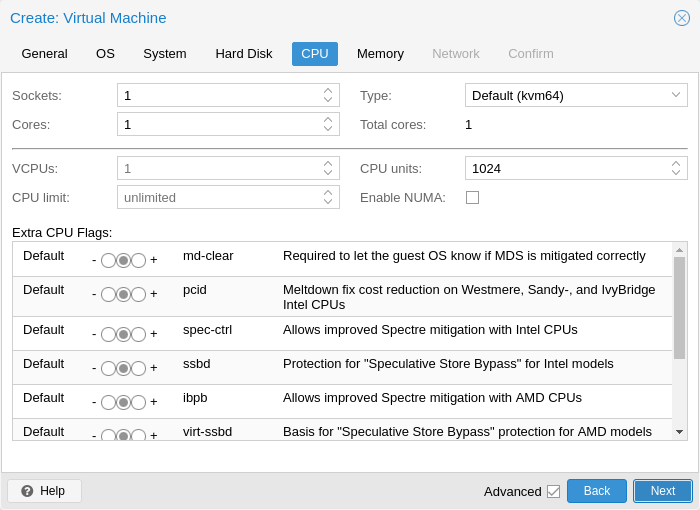
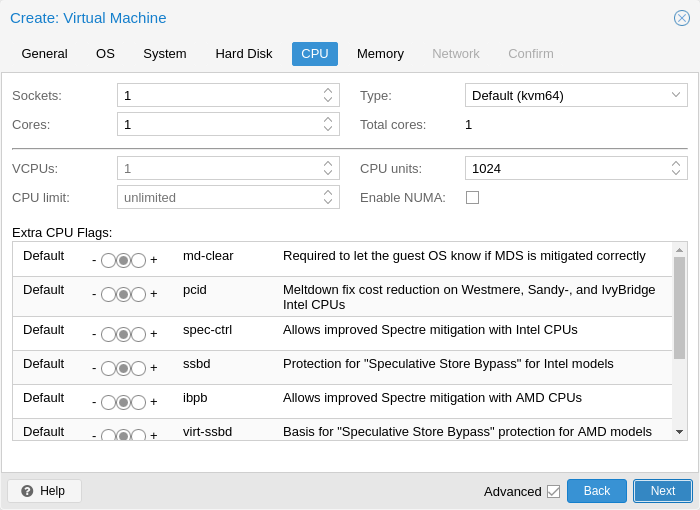
Step 4 — CPU: sockets, cores, type, NUMA, CPU units, CPU limit, flags. The “type” dropdown carries the migration-compatibility knob. Source: pve-docs/images/screenshot/gui-create-vm-cpu.png.
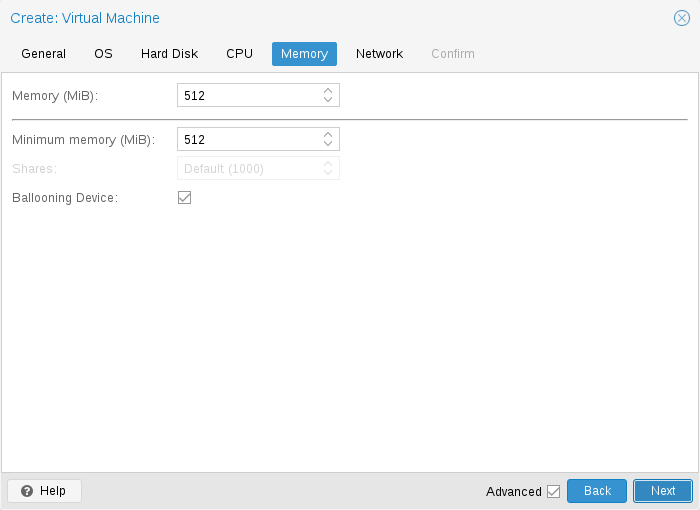
Step 5 — Memory: MiB, ballooning min, ballooning device toggle. Source: pve-docs/images/screenshot/gui-create-vm-memory.png.
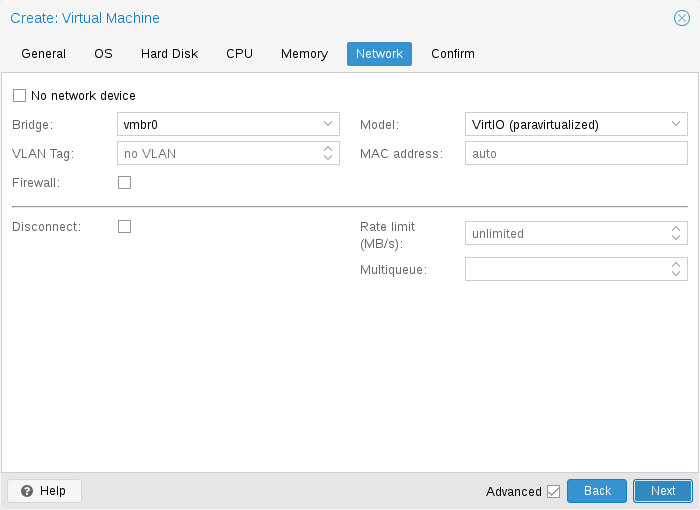
Step 6 — Network: bridge, VLAN tag, firewall toggle, NIC model, MAC, MTU, rate limit, multiqueue, disconnect. Final step is “Confirm” with a YAML-ish summary. Source: pve-docs/images/screenshot/gui-create-vm-network.png.
Storage view
A storage entry in the tree is selected to inspect a backend’s contents. The tabs vary slightly with the backend’s allowed content types but the shape is consistent.
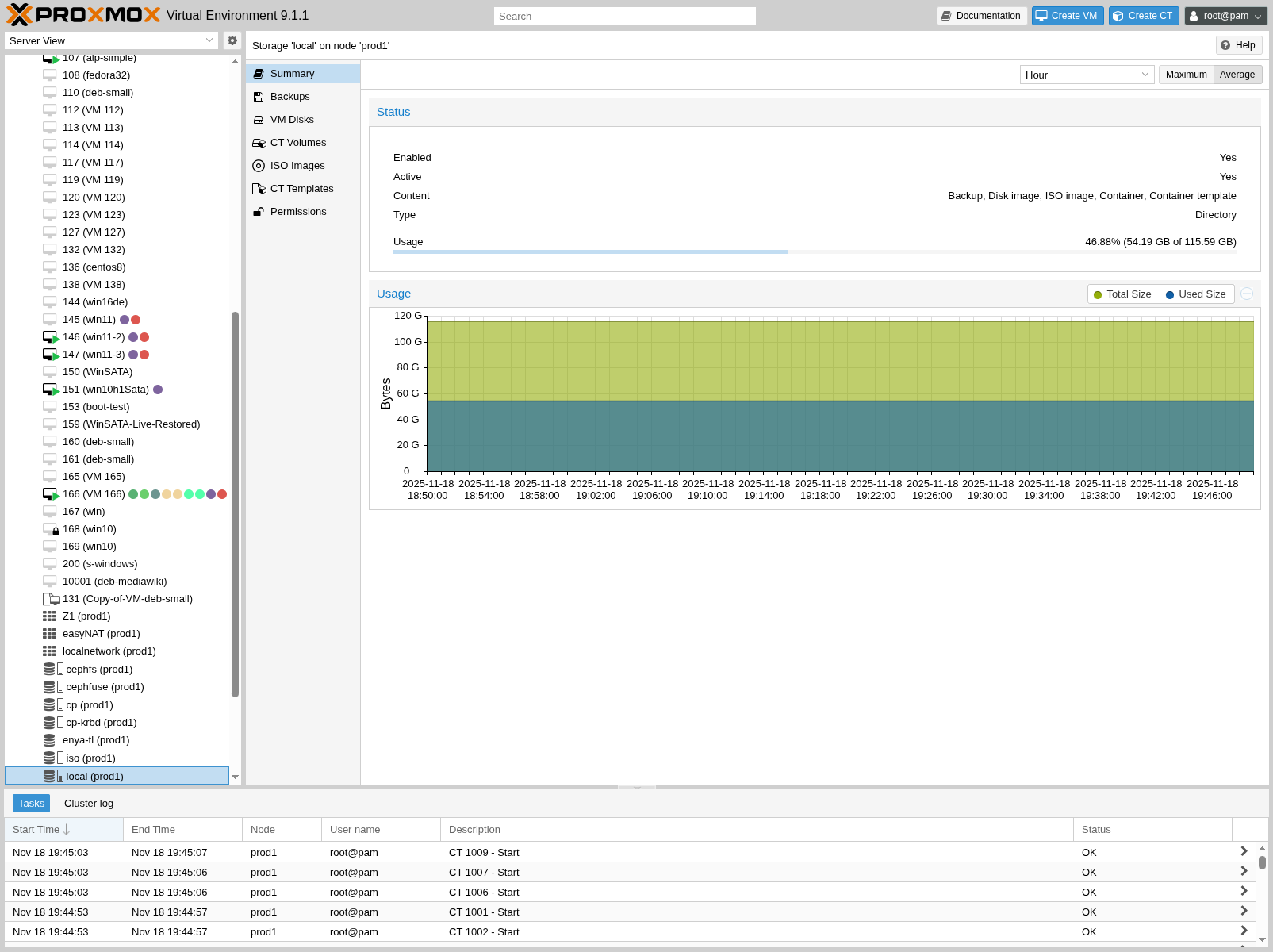
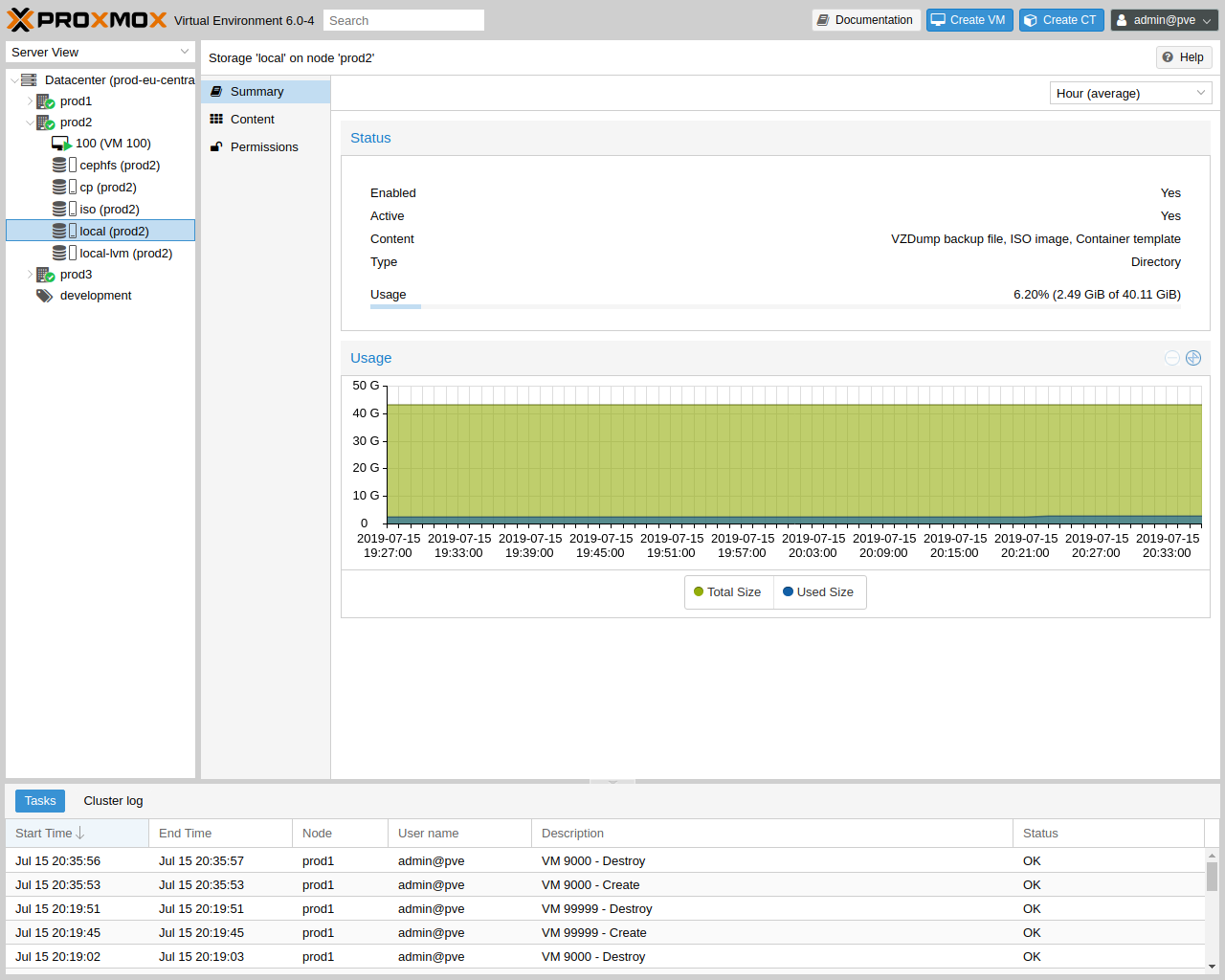
Storage → Summary. Capacity, used / available, content-type breakdown, RRD usage history. Source: pve-docs/images/screenshot/gui-storage-summary-local.png.
| tab | role | notes |
|---|---|---|
| Summary | read | Capacity, free, type, content, RRD chart. |
| Backups | read/edit | Per-guest grouping; per-row restore, show config, file restore (PBS only), prune-now, change protection, change notes. |
| ISO Images | edit | Upload, download-from-URL, remove. The URL importer fetches and verifies a checksum. |
| CT Templates | edit | Same as ISO but for LXC .tar.zst. Includes a one-click “Templates” browser of the upstream registry. |
| VM Disks / CT Volumes / Snippets / Imports | read/edit | Visible only on backends whose content type list includes them. Disk rows expose owner-VMID, size, format, used, attached/orphan flag. |
| Permissions | edit | ACL scoped to /storage/<name>. |
Pool view
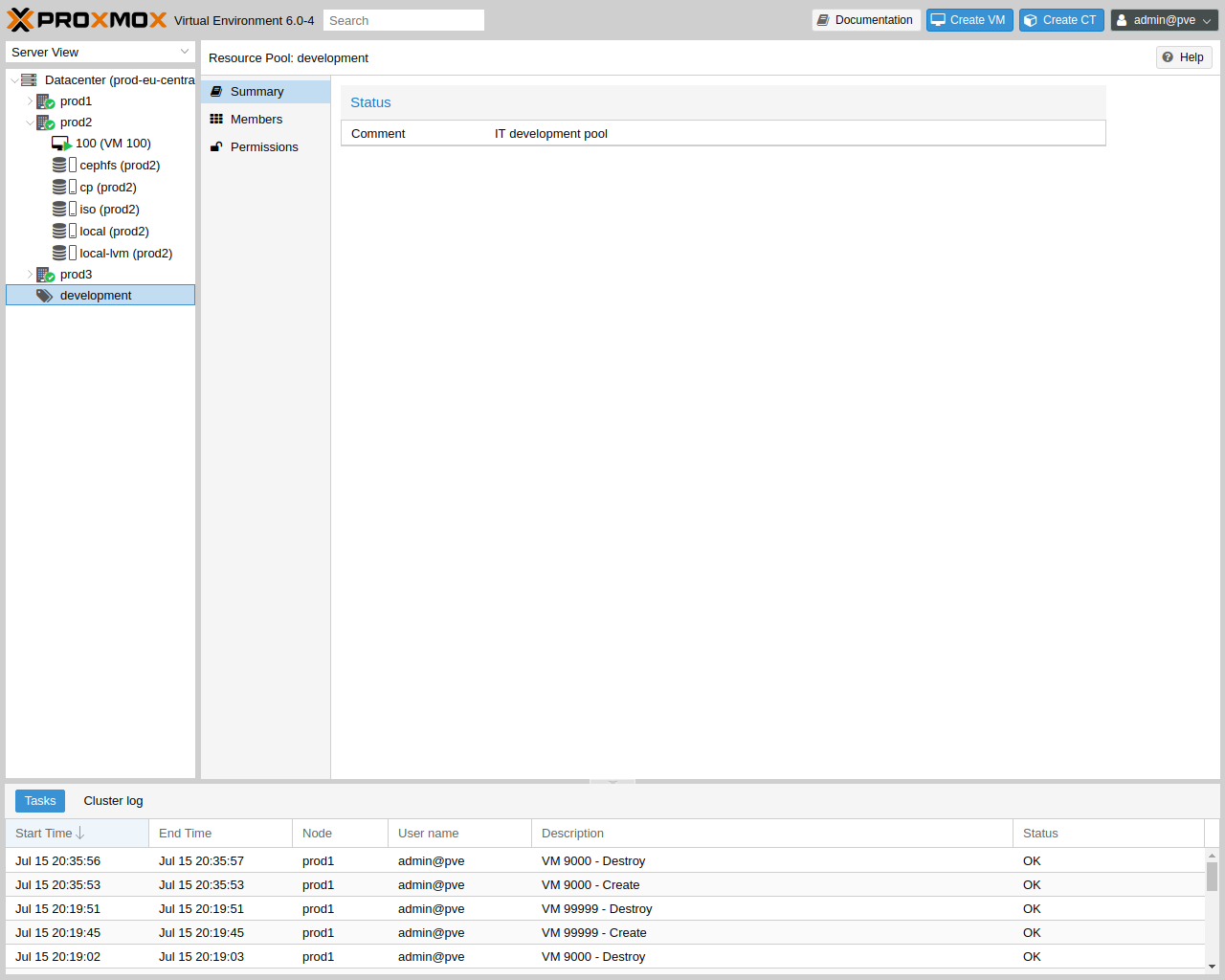
Pool → Summary. Members table (VMs, CTs, storage), per-member state, plus Permissions and Comment subtabs. Source: pve-docs/images/screenshot/gui-pool-summary-development.png.
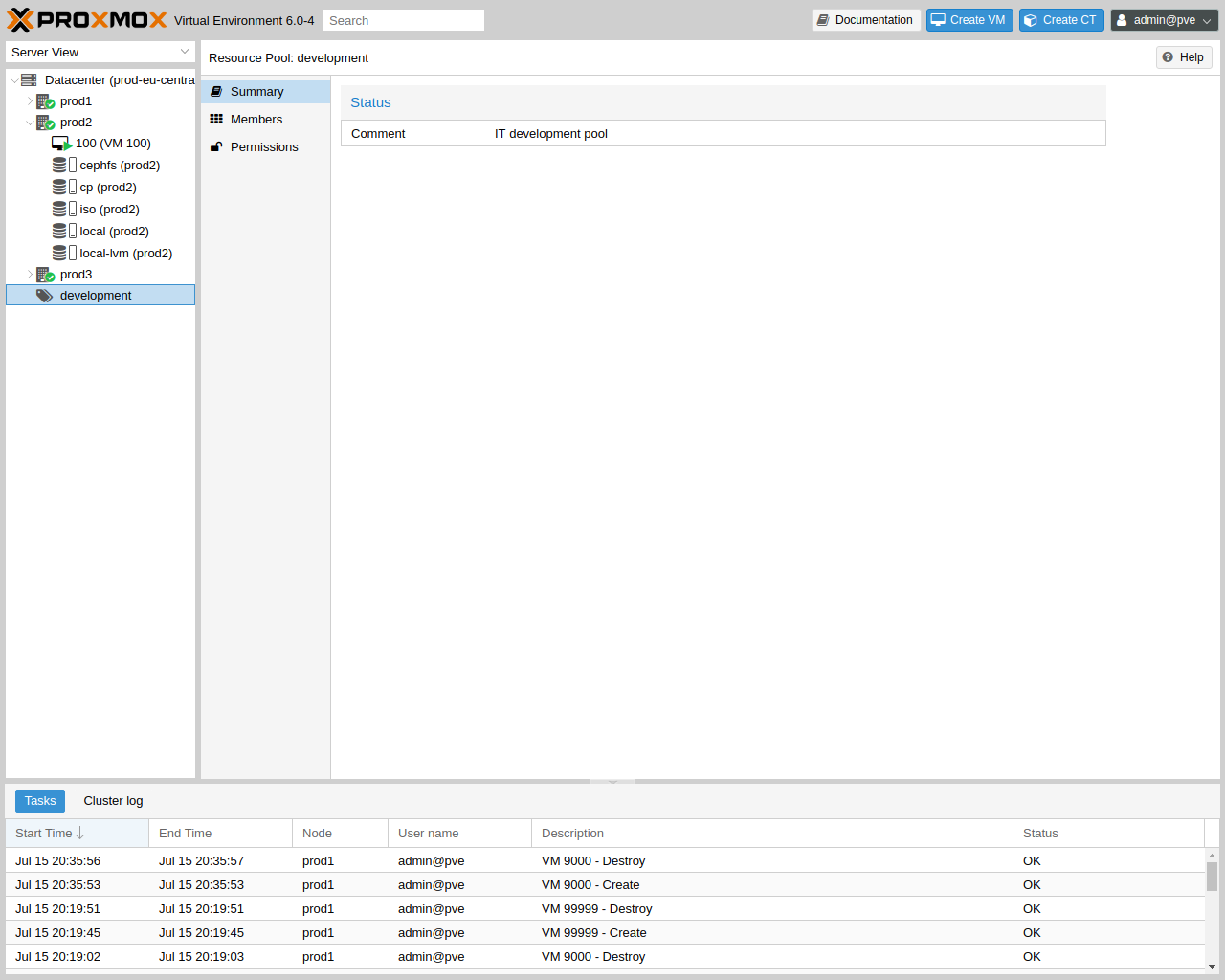
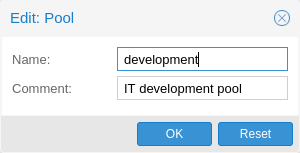
Datacenter → Permissions → Pools → Create. Just name and comment; membership is added afterwards from each guest’s More menu. Source: pve-docs/images/screenshot/gui-datacenter-pool-window.png.
SDN view
The SDN view is the modern PVE network fabric editor, layered over Linux bridges / OVS / VXLAN / EVPN / FRR. Datacenter → SDN has six subtabs.
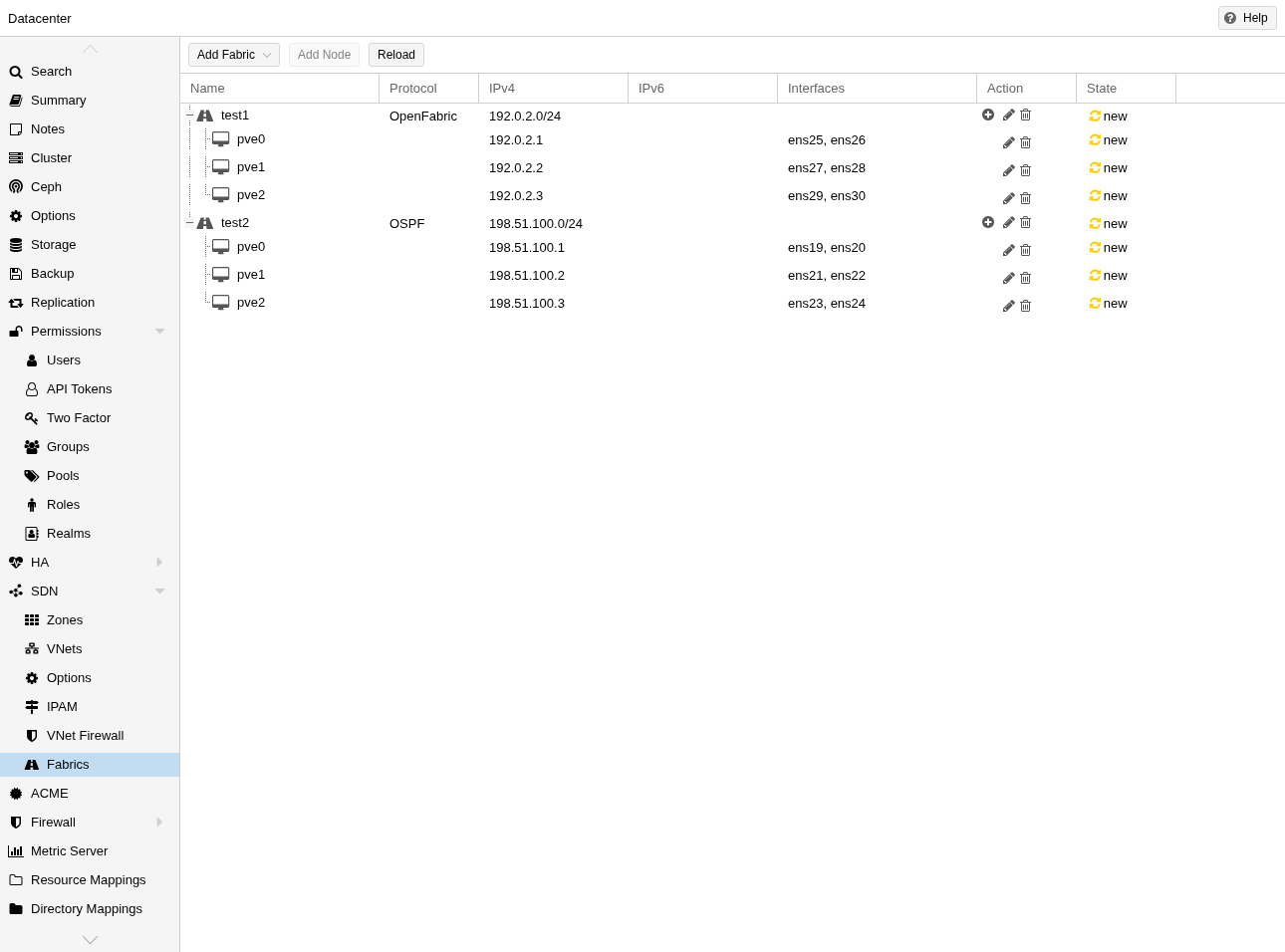
Datacenter → SDN → Fabrics. Tree of OpenFabric / OSPF fabrics, member nodes, link configuration. The same tree-on-the-left, detail-on-the-right shape repeats inside SDN itself. Source: pve-docs/images/screenshot/gui-datacenter-fabrics-overview.png.

| subtab | role | what it edits |
|---|---|---|
| Zones | edit | Network zone definitions: simple (Linux bridge), VLAN, QinQ, VXLAN, EVPN. Per-zone config (controller, MTU, IPAM). |
| VNets | edit | Virtual networks bound to a zone. Per-VNet tag, alias, VLAN-aware flag. |
| Subnets | edit | CIDRs attached to a VNet, gateway, DHCP range, DNS zone delegation. |
| Controllers | edit | EVPN/BGP/iSiSiS controllers — defined per cluster, referenced by zones. |
| IPAM | edit | IP address management plugin config. PVE-native or external (phpipam / netbox). |
| DNS | edit | DNS plugin config used to register guest IPs back into a DNS zone. |
| Fabrics | edit | OpenFabric / OSPF underlay management for EVPN. |
After every SDN edit a banner reminds the operator to hit
Apply; SDN config is staged in
/etc/pve/sdn/ and applied to /etc/network/interfaces.d/
on demand.
Permissions view
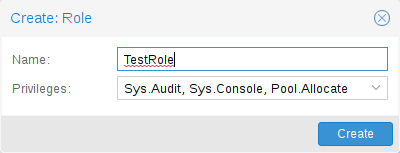
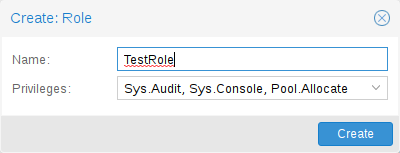
Datacenter → Permissions → Roles → Add. Name plus a multi-select of privileges (VM.Allocate, VM.Audit, Datastore.Backup, …). Source: pve-docs/images/screenshot/gui-datacenter-role-add.png.
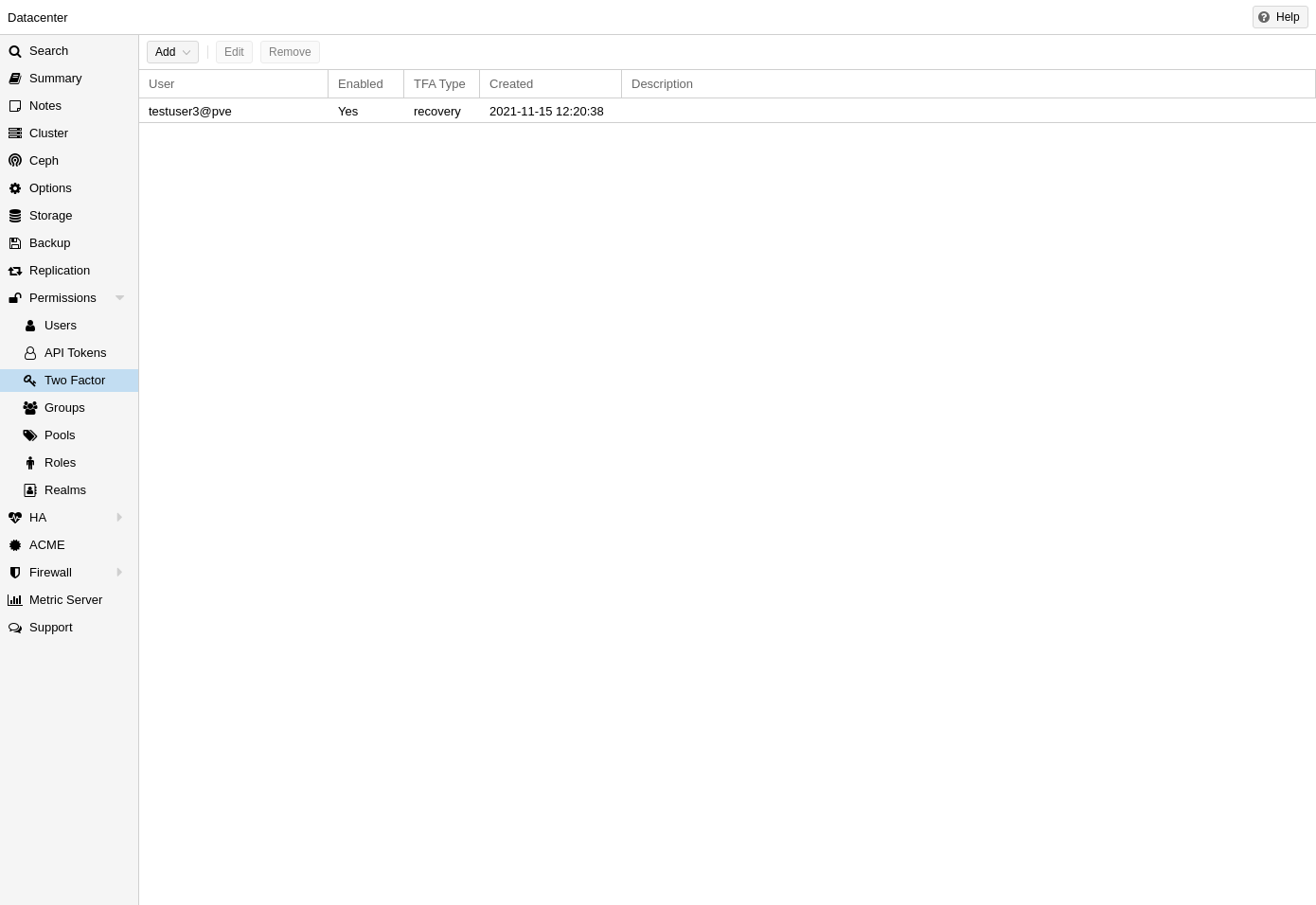
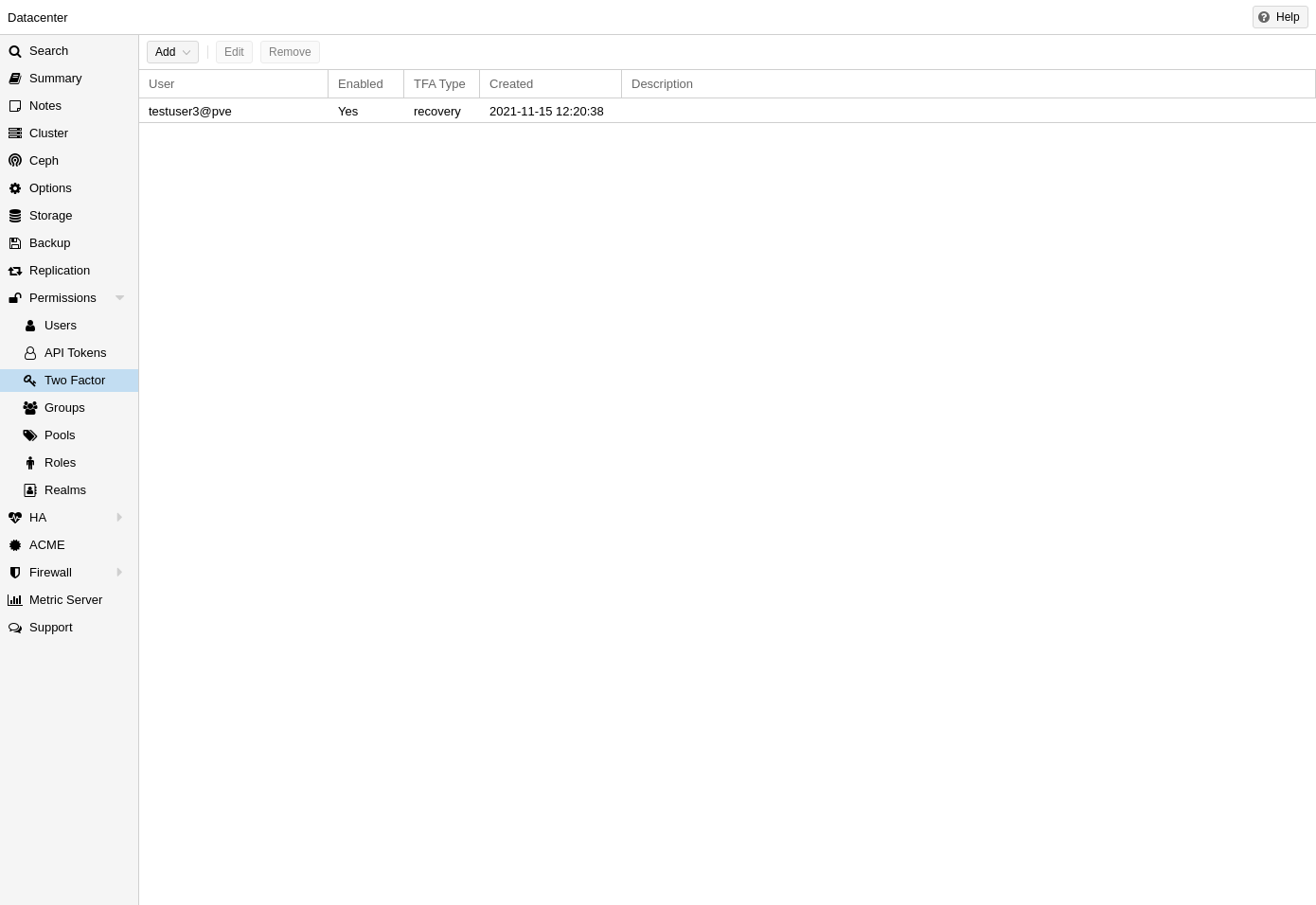
Datacenter → Permissions → Two Factor. TOTP, WebAuthn, recovery keys, Yubico OTP — each is a row with add / remove / regenerate. Source: pve-docs/images/screenshot/gui-datacenter-two-factor.png.
The permissions model is path + role + subject:
- Paths are the resource hierarchy
(
/,/vms/<vmid>,/storage/<name>,/pool/<name>,/sdn/zones/<zone>/<vnet>,/access/<realm>). - Roles bundle privileges. PVE ships
Administrator,PVEAdmin,PVEAuditor,PVEDatastoreAdmin,PVEPoolUser,PVESDNAdmin,PVETemplateUser,PVEVMUser, etc., plus user-defined roles. - Subjects are users, groups, or API tokens, in any realm.
- ACL entries are (path, subject, role, propagate?).
This is the model Coppice’s permissions workbench reads against. “Pool” double-purposes as both a resource grouping and an ACL container.
Bottom panel
Always present, collapsible. Two tabs.
- Tasks — recent API tasks across the cluster (or filtered to “my tasks”). Per-row: status pill (running / OK / warnings / error), description, target, user, start time, duration. Click to open a modal that streams the task’s stdout/stderr in real time and lets the operator stop it.
- Cluster log — the cluster-level event log, separate from systemd journal: pmxcfs / pveproxy / pve-cluster events, ACL changes, login attempts.
The task panel is the most copied piece of Proxmox UX. Coppice’s
/admin task explorer is a direct echo: a flat list of
gateway tasks, click-through detail, live updates. The PVE shape adds
a stop button that actually severs the in-flight job — Coppice has
that as a backend gap.
Cross-cutting affordances
- Bulk actions — multi-select on the guest grid enables Bulk Start / Stop / Migrate / Snapshot. Only as many options as are valid for the union of selected types.
- Search — the header search is global; each tab’s grid also has a per-column filter row.
- Right-click on a tree node mirrors the guest toolbar’s More menu.
- Keyboard — limited. Esc closes dialogs, arrow-keys navigate trees and tab strips. There is no command palette in the Sublime/VS Code sense.
- Help drawer — every dialog has a
?button that opens the matching admin-guide section in a side panel (still HTML, not contextual hints). - Tags — first-class. Attached to guests, settable per-row, settable in bulk, used as a tree-grouping axis, used as filter input across grids.
Visual / UX notes
- Palette. Proxmox orange
#E57000for primary action highlights and the brand mark; otherwise mostly white cards on a light-grey app background, with state colour from status pills (green / yellow / red / grey). - Density. Compact. Eight-row visible grids on a laptop screen. Single-line cell padding. The tree font is proportional, not monospace.
- Iconography. Font Awesome v4 / v5; type icons in the tree (server, cube, hard-drive, network), action icons on toolbars.
- Shape. “Everything is a tree on the left and tabs on the right.” Modal dialogs for object creation, in-place edit for object configuration, no full-page subforms. Apply staged-then-apply pattern only for SDN.
- Theme. Default is light; v8.x added a dark theme toggle in My Settings.
Coppice’s /admin trades the light theme for the
editorial-dark-monograph palette of the rest of the site, but the
structural pattern — tree, tabs, bottom task panel,
right-click that mirrors the toolbar — is the one to keep.
Further reading
- Proxmox VE Administration Guide (canonical, current)
- Proxmox wiki — Graphical User Interface chapter
- Proxmox wiki — SDN
- User Management chapter (realms, roles, ACLs, TFA)
- /appendix/proxmox-comparison — the Coppice parity map keyed against this spec.