Proxmox VE is the right comparison for Coppice’s operator surface: one browser UI for compute, storage, networking, snapshots, consoles, tasks, auth, and cluster state. Coppice is not a general-purpose hypervisor manager, but the admin dashboard should feel familiar to a Proxmox operator when the question is “what is running, what changed, can I open a console, can I snapshot/fork it, and what does the host think is healthy?” The canonical descriptive reference for what Proxmox actually does — header chrome, resource tree, datacenter / node / guest tabs, storage and SDN, the bottom task panel — lives at /appendix/proxmox-admin-spec; this page is the row-by-row Coppice parity map keyed against it.
What Proxmox exposes
The current Proxmox VE admin guide describes a browser-based management interface with a top header, resource tree, content panels, built-in HTML5 console, search, task history, syslogs, storage, backup, replication, permissions, HA, and firewall panels. The storage chapter emphasizes pluggable local/shared storage, snapshots, thin provisioning, and shared-storage migration. The firewall chapter describes datacenter/host/VM-level policy with IPv4 and IPv6 support.
Main admin UI inventory
This is the full Proxmox-style UI surface Coppice should either match, intentionally omit, or document as a different primitive. The target is operator parity for Coppice’s scope, not a literal clone of every Linux cluster feature.
| Proxmox UI surface | Coppice status | mapping and gap |
|---|---|---|
| Top chrome: search, docs/help, create VM, create CT, task viewer, user/session menu | partial | Admin now has search, create-machine entry, task view entry, parity docs link, and structured deep links under /admin/#/…. Session/user menu and help drawer are still open. Real /admin/… paths need a gateway/static-server rewrite or Astro server adapter because the site builds as static HTML. |
| Left resource tree: Datacenter, node, guests, templates, storage, pools, diagnostics | closed for single node | The admin dashboard now renders a Proxmox-shaped resource navigator: Datacenter → honor → guests, templates, bhyve pool, volumes, snapshots, schedules, diagnostics, and task/audit feeds. |
| Content workbench with selected-object tabs | partial | Datacenter/node and guest selections now render tab bars. Guest tabs cover Summary, Console, Hardware, Options, Backup, Snapshots, Firewall, Permissions, Tasks, and Metrics. Storage, backup, node diagnostics, pool inventory, network/firewall, and permissions now have inventory/detail workbenches; host update tabs need deeper editors. |
| Guest list, guest summary, status, address, usage, lifecycle | closed | /sandboxes plus detail fetches render template, state, address, lifecycle, CPU/memory/disk samples, and links into the live demo UI. |
| Guest console tab: noVNC/SPICE/xterm.js-style access | closed for Coppice guests | Shell, browser/CDP, VS Code/code-server, VNC, RDP, and bhyve framebuffer paths are embedded in the selected guest Console tab. The console can expand in-place over the admin workspace without remounting the iframe. |
| Guest lifecycle controls: start, shutdown, stop, pause, resume, clone, migrate, console | partial | Coppice exposes pause, resume, kill, snapshot, snapshot+fork, preview URL, Remote-SSH, and direct in-admin console/metrics/snapshot/firewall shortcuts. Start/create is template-backed. Graceful shutdown/start-order/migration forms remain open. |
| Guest hardware/resources/options | partial | Coppice shows sampled CPU, memory, disk, address, lifecycle, metadata, and a Proxmox-shaped hardware table with CPU/memory/disk/NIC/display rows. Jail CPU, memory, and writable-layer quota edits are live through PATCH /sandboxes/:id/limits and are task-recorded; NIC/display editors and bhyve hotplug remain open. |
| Guest monitor, guest-agent, cloud-init, DNS/network tabs | partial | Coppice has command execution, metadata, Remote-SSH, preview URLs, template startup scripts, and a selected-guest Monitor tab that runs operator commands through /sandboxes/:id/exec. Guest-agent detail, cloud-init-style boot forms, and editable boot-network-init panels remain open. |
| Snapshots and clone/fork tab | closed, different semantics | Coppice has durable ZFS filesystem snapshots and fork. Proxmox VM live snapshots can include memory for supported storage; Coppice’s live-memory story is bhyve pause/resume, not jail fork. |
| Storage inventory: content, ISO/images, backups, permissions, usage | partial | Persistent volumes, live mounts, snapshots, template datasets, and bhyve pools are visible in the admin storage workbench, with snapshot detail and fork actions. Arbitrary pool/NFS/iSCSI/Ceph-equivalent provisioning remains intentionally out of the single-node scope. |
| Backup/restore jobs, schedules, retention, backup logs | partial | Scheduled sandboxes, restore-point inventory, and non-destructive snapshot fork restore are exposed in the admin. Retention pruning, destructive restore-over-source, and object-store archive targets remain backend gaps. |
| Firewall UI at datacenter/node/guest levels: rules, aliases, IP sets, security groups, logs | closed for sandbox egress | Coppice uses per-sandbox pf anchors for IPv4/IPv6 VNET policy and air-gap state flushing. The admin firewall view now shows bridge/NAT policy, datacenter/guest rule tables, aliases/IP sets, per-guest address/air-gap state, VNET diagnostics, and denied/error audit rows. Arbitrary safe rule CRUD and security-group composition remain backend gaps. |
| Bottom task log and task details: progress, output, cancel, history | closed v1 | The gateway now exposes GET /tasks, GET /tasks/events, GET /tasks/:id, GET /tasks/:id/events, and POST /tasks/:id/cancel. Create, kill, pause, resume, snapshot, fork, and network-policy mutations produce task records with progress messages; the honor rc.d service persists them to /var/log/coppice/tasks.jsonl. The admin task explorer reads those records first, then folds in lifecycle/audit history, and task detail rows can request cancellation from the UI. Child-process stdout splicing and real mid-flight cancellation hooks remain hardening work. |
| Permissions: users, groups, roles, API tokens, realms, pools | partial v1 | API keys, scopes, tenant quotas, audit, and CLI login are in place. The admin permissions view shows an access-control summary, privilege matrix, subject/token/role inventory, ACL assignment rows, audit outcome graph, denied/error decisions, and recent access log. The gateway now also exposes a Phase 1 + Phase 3 multi-tenant model — local-realm users, per-user argon2id-hashed API tokens, role grants (built-in admin/operator/viewer), and optional TOTP (RFC-6238, secrets AES-GCM-encrypted at rest). See the auth appendix. Groups (Phase 2) and LDAP/OIDC realms (Phase 4) remain open. |
| Datacenter options: cluster, HA, replication, migration, resource pools | open | Proxmox is multi-node by design. Coppice is single-host today, but the admin now has a cluster/HA panel that shows the single-node state, live guests, snapshot sources, pool capacity, fabric health, node/overlay link rows, replication job shape, and explicit overlay/replication/fencing/migration backend gaps. The planned FreeBSD path is VXLAN or WireGuard plus ZFS send/recv and a scheduler. |
| Live migration and replication UI | open | Coppice can pause/resume and fork locally. Cross-host migration needs shared or replicated storage plus network overlay. |
| Node system UI: shell, network, DNS, time, certs, syslog, repositories, updates | partial | The node panel now shows gateway uptime/counters, VNET wedge bundle metadata, stuck-process probe output, rc.d services, interface/bridge/route/pf state, syslog sources, package updates, repositories, time, DNS, hosts, certificates, bhyve warm-pool inventory, and recent node/API audit. Mutating package/repository/network/time/DNS/cert operations remain backend gaps. |
| Node disks and ZFS/LVM/Ceph-style storage panels | partial | ZFS-backed templates, snapshots, and volumes are the foundation. The admin storage tab has Proxmox-shaped backend rows, and the node Disks tab now reads live zpool, zfs, df, and gpart inventory from /diagnostics/host/storage. SMART view, pool creation, quota editors, and repair workflows remain backend gaps. |
| SDN / network fabric panels | partial | VNET, pf, bridge setup, wildcard routing, IPv6, and per-guest network inventory are implemented for single-host sandboxes. A multi-node fabric editor remains open. |
| Notifications, ACME/certificates, support/subscription panels | open | Coppice has lifecycle webhooks, receipts, and logs. The admin now exposes a notifications/certificates panel with event sources, delivery mix, webhook delivery table, target/matcher inventory, retry/escalation shape, and TLS lifecycle inventory. Target CRUD, retries, email/Slack templates, and ACME/TLS renewal remain backend gaps. |
| Metrics graphs and recent performance history | partial | Admin has live Prometheus counters, gateway graphs, node aggregate workload graphs, selected-guest metric graphs, and live jail resource-limit editors. Server-side time-series retention, alert thresholds, and bhyve resource editors are still open. |
| Create VM / Create CT wizard shape | partial | Admin now exposes a Proxmox-shaped create wizard with template, lifecycle, network, hardware, and review sections. It creates from Coppice templates today; bhyve CPU/RAM/disk overrides and guest hotplug are visible but disabled until bhyve reconfigure APIs exist. |
What changed in the UI in this pass
The admin dashboard now has a Proxmox-shaped workbench. It polls the same gateway APIs as the rest of the dashboard, then renders:
- A fullscreen admin app shell instead of the public-site nav/footer.
- Datacenter summary for the single node.
- Topbar actions for search, create-machine, tasks, firewall, and the Proxmox parity map.
- Structured admin routing via
/admin/#/guest/<id>/consoleso selected resource tabs survive refresh, back/forward, and direct links without breaking the static Astro deployment. - Node inventory for running sandboxes/VMs, with search filtering.
- Guest rows grouped under the node, with template/state/address data and an in-admin detail/action panel.
- Selected guest summary operations strip for console, metrics, snapshots, firewall, task history, pause/resume, snapshot/fork, preview URL, Remote-SSH, and kill.
- Guest tabs for Summary, Console, Monitor, Hardware, Options, Backup, Snapshots, Firewall, Permissions, Tasks, and Metrics.
- Selected-guest Monitor tab with presets and arbitrary operator command execution through the gateway exec API.
- Proxmox-shaped create-machine wizard with template, lifecycle, network, hardware, and review sections.
- Guest Hardware and Options tabs now present table/form affordances for the fields operators expect; jail resource limits are editable and unsafe bhyve/NIC/display mutations remain visibly disabled.
- Embedded admin console iframes for shell/VNC/RDP/browser-style views, with an in-page full-console overlay instead of a new browser window. Inventory polling and guest-to-guest navigation preserve mounted console DOM nodes so VNC/RDP sessions do not reload every refresh tick or when switching away and back.
- A first-class Metrics resource with gateway counter graphs, node workload history, lifecycle mix, webhook delivery mix, and current per-guest usage.
- Per-guest Metrics tabs with CPU, memory, disk, uptime, and log-line sparklines from Prometheus labels.
- Storage rows for volumes, durable snapshots, backend inventory, and live node disk/dataset/filesystem/partition inventory.
- Storage workbench tables for volumes/live mounts and a snapshot browser with selected restore-point detail.
- Backup workbench tables for schedules plus a restore wizard that forks a new sandbox from a selected snapshot.
- Node system workbench for gateway service counters, VNET wedge bundles, stuck-process probe output, rc.d service inventory, interface/bridge/route/pf state, node log/source inventory, update/repository/time/DNS/host/cert probes, bhyve pool status, and recent API audit.
- Pool workbench using Prometheus-labeled warm-pool ready/in-use/target rows and reconciliation outcomes.
- Network/firewall workbench for bridge/NAT policy, per-guest addresses, datacenter/guest rule tables, alias/IP-set inventory, air-gap state, VNET diagnostics, and denied/error audit decisions.
- Permissions workbench for auth summary, privilege matrix, subject/token/role inventory, ACL assignment rows, audit outcome graph, denied/error permission decisions, and recent access log.
- Cluster/HA workbench for single-node status, lifecycle feed, node/overlay link rows, replication job shape, and named overlay/replication/fencing/ migration gaps.
- Notifications/certificates workbench for event sources, webhook delivery mix, delivery table, target/matcher inventory, retry plan, and TLS lifecycle inventory.
- A collapsible bottom tool window for tasks, audit, and aggregate metrics.
- A task explorer that reads gateway task records, follows
/tasks/eventsfor live updates, then combines lifecycle and audit events into one selectable history view with filters, status/progress, raw detail, and cancel-request controls for non-terminal gateway tasks. - The old page sections are no longer below the workbench; receipts, capability map, metrics, snapshots, gateway health, and backlog are all resource-tree destinations inside the admin interface.
- The page is now an Astro route plus a hydrated React admin island, so the stateful surface is componentized instead of rebuilt through template-string DOM mutation.
That closes the biggest UX gap without pretending Coppice is a full cluster hypervisor manager. The next Proxmox-shaped closures are:
- Bhyve reconfigure APIs for editable guest CPU/RAM/disk hotplug plus NIC/display option editors.
- Real cancellation for in-flight jobs plus child stdout/stderr splicing into the task event stream.
- Storage manager backends for retention policies, archive/export targets, destructive restore-over-source, and arbitrary host storage pool provisioning.
- Host operations editors for package/repository mutation, bridge/VLAN/pf
edits, certificate lifecycle, SMART/repair workflows, and installed
template versions. Read-only service, syslog, repository/update,
DNS/time, certificate, network, and storage probes are already wired
into
/admin/#/node/honor/*. - Permissions backend CRUD for users, groups, roles, scoped API tokens, pools, and optional external realms/TFA.
- Cluster overlay receipt once a second host is available.
- Notification target CRUD, retry inspector, email/chat targets, and certificate inventory/renewal jobs.
- Firewall rule editor for aliases, IP sets, reusable security groups, and explicit datacenter/node/guest policy composition.
Page-by-page audit (2026-04-27)
This is the granular pass keyed against actual screenshots of pve-manager
(under /proxmox/) and the live Coppice /admin route
(under /coppice-admin/). Each row names the Proxmox page, the
corresponding Coppice route, a verdict, and the specific deltas to ship next.
| Proxmox page | Coppice route | screenshots and granular gaps |
|---|---|---|
| Datacenter Summary | closed | 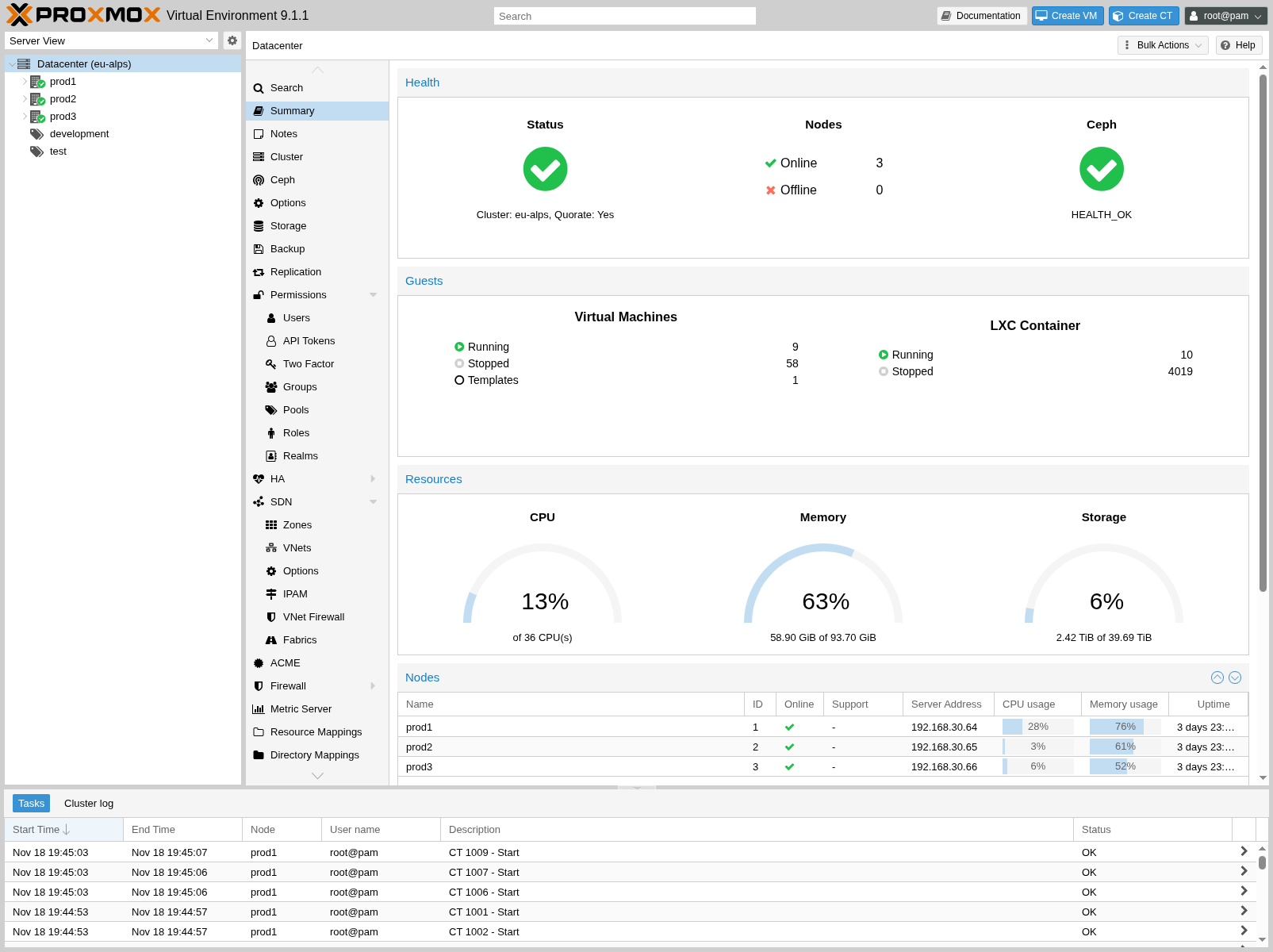 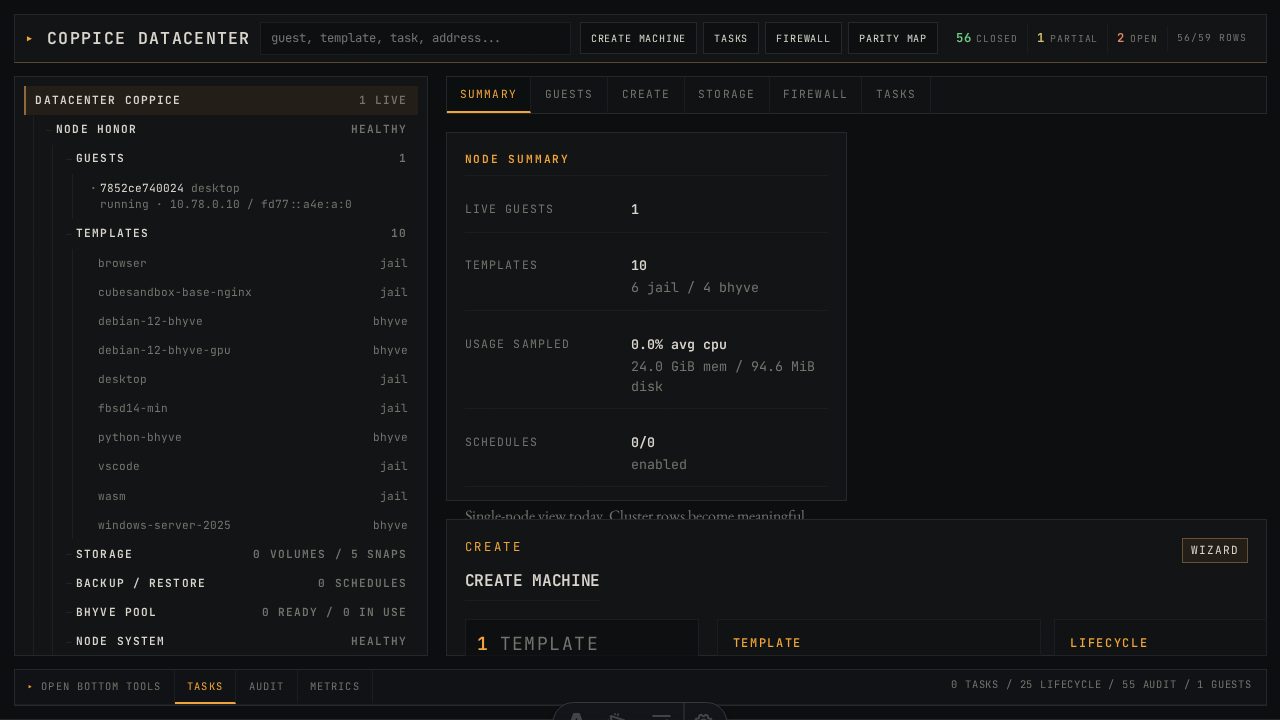 /admin
|
| Datacenter Storage | partial | 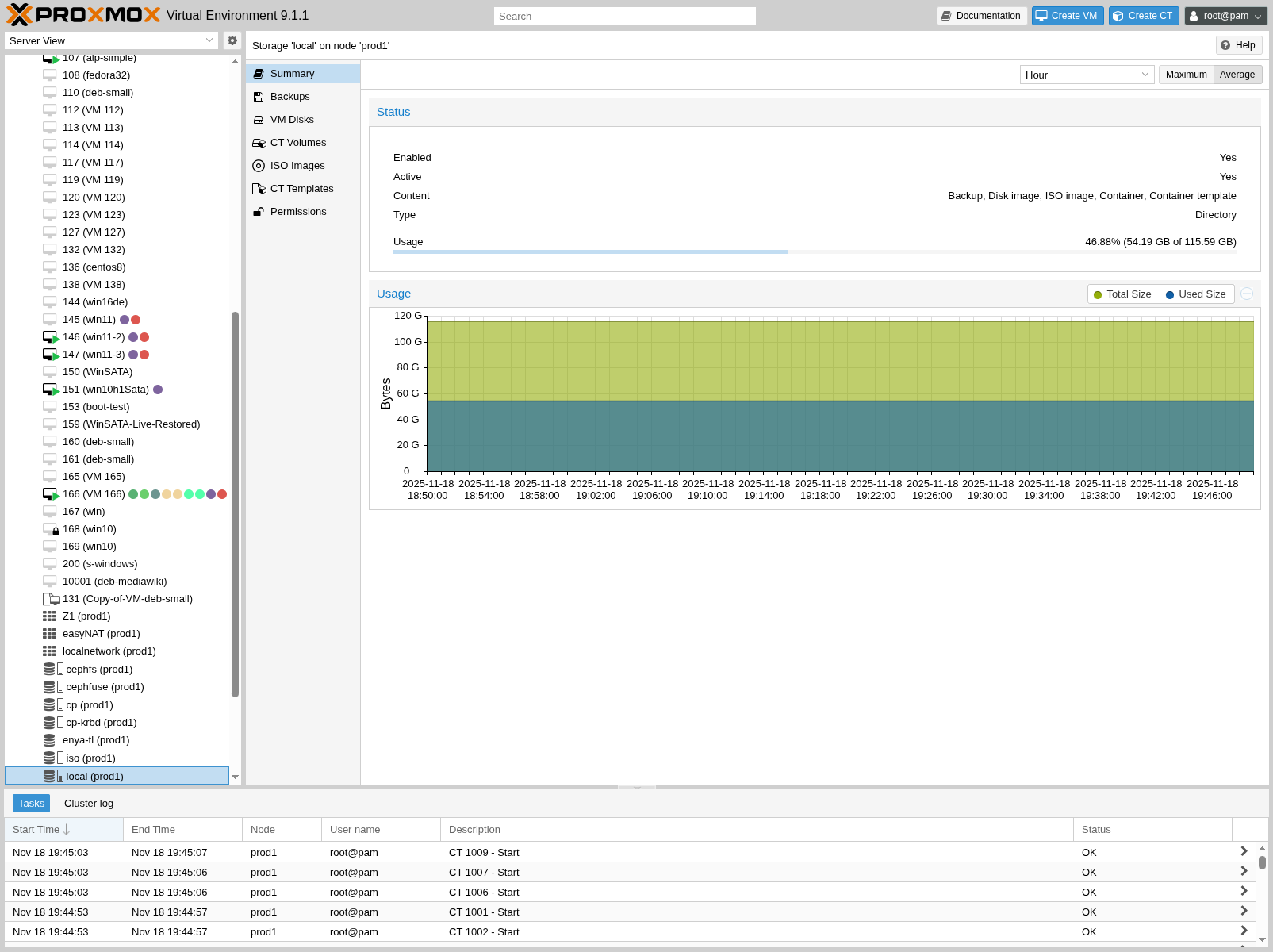 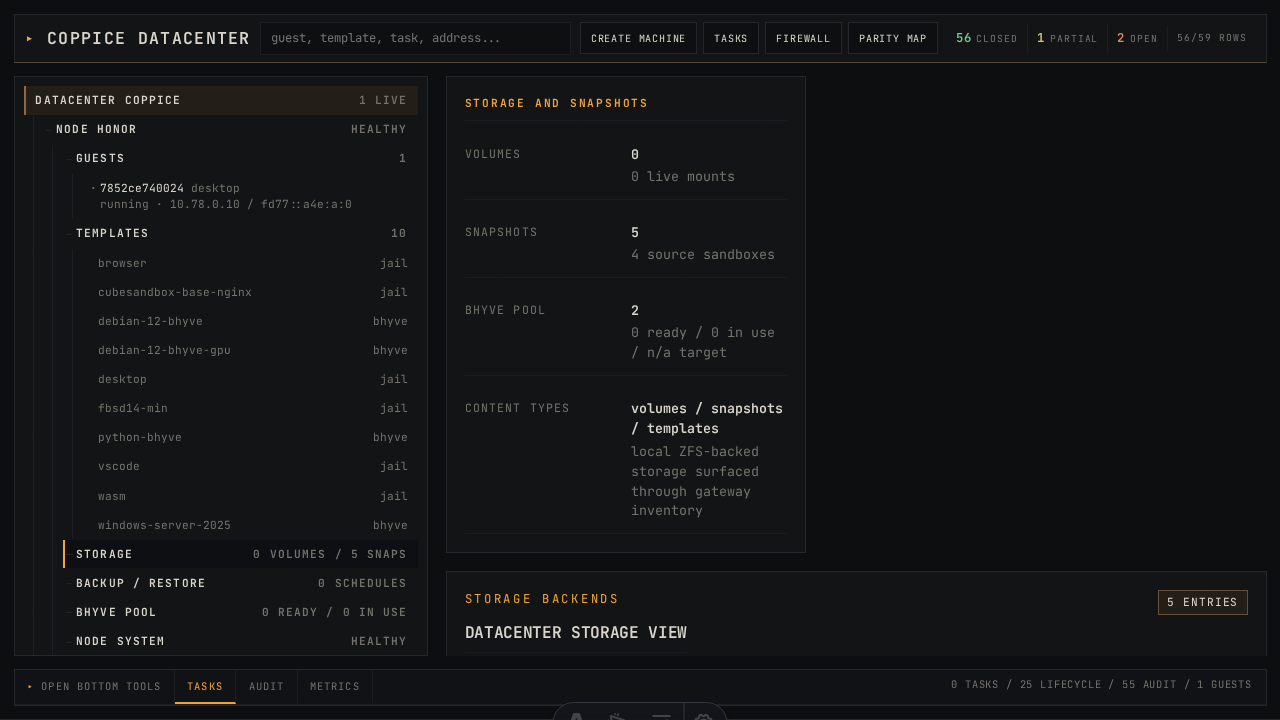 /admin
|
| Datacenter Firewall | partial | 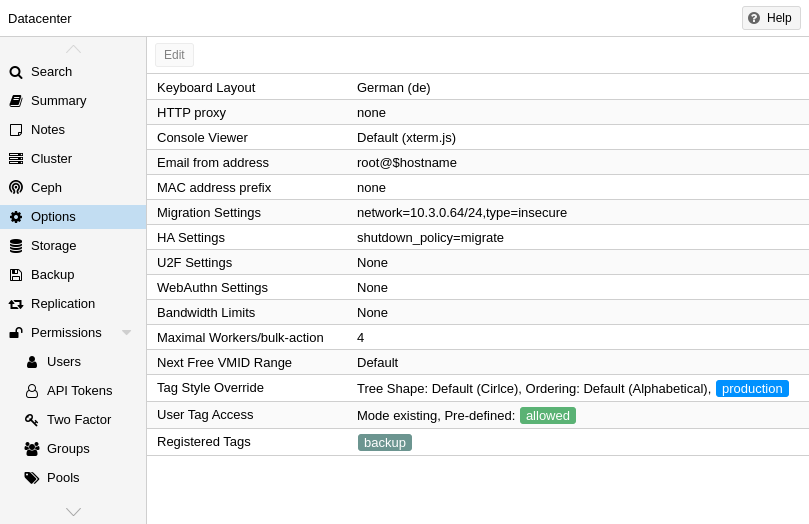 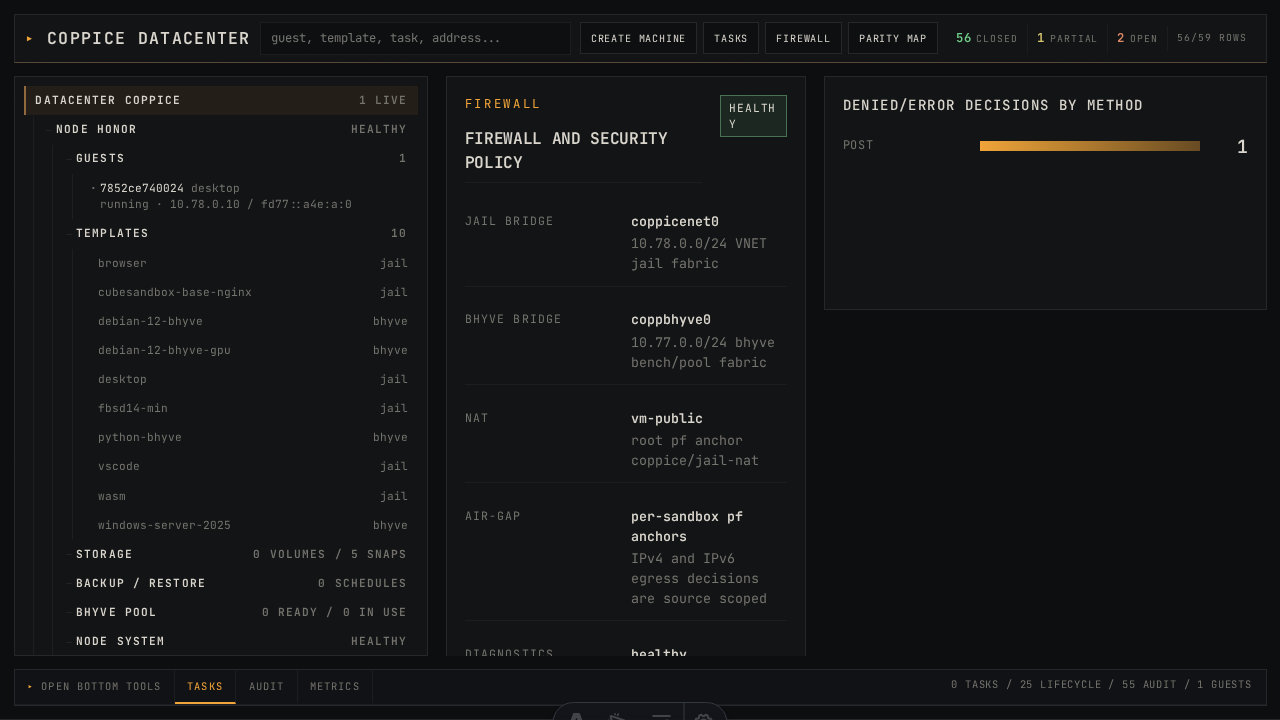 /admin/#/security
|
| Datacenter Backup | partial | 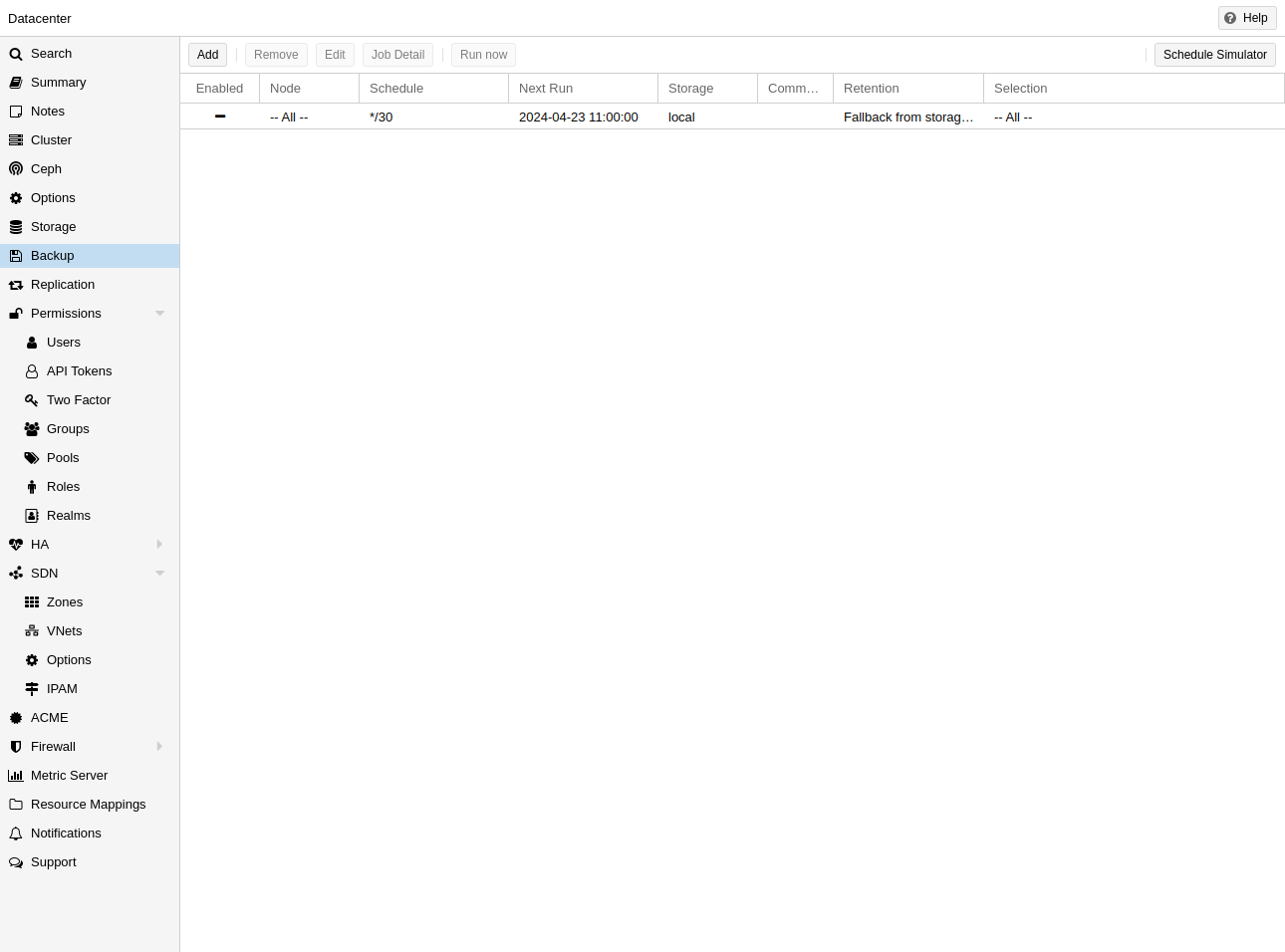 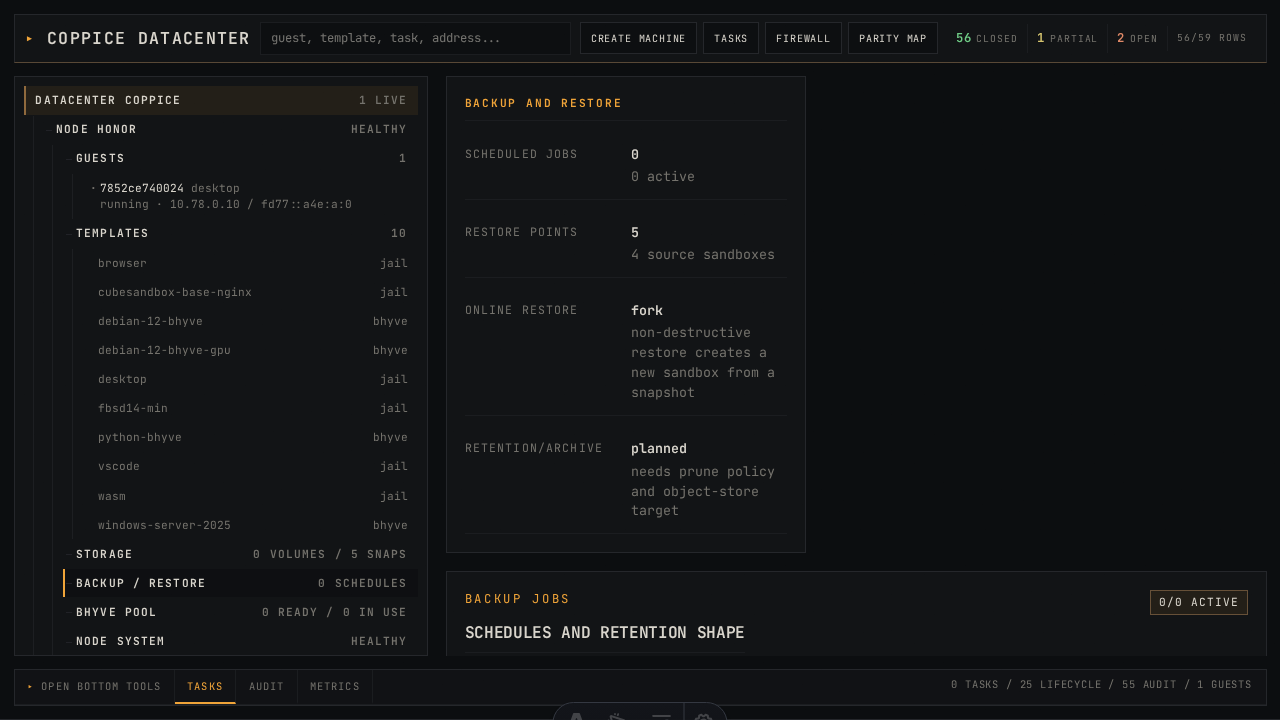 /admin/#/backup
|
| Node Summary | partial | 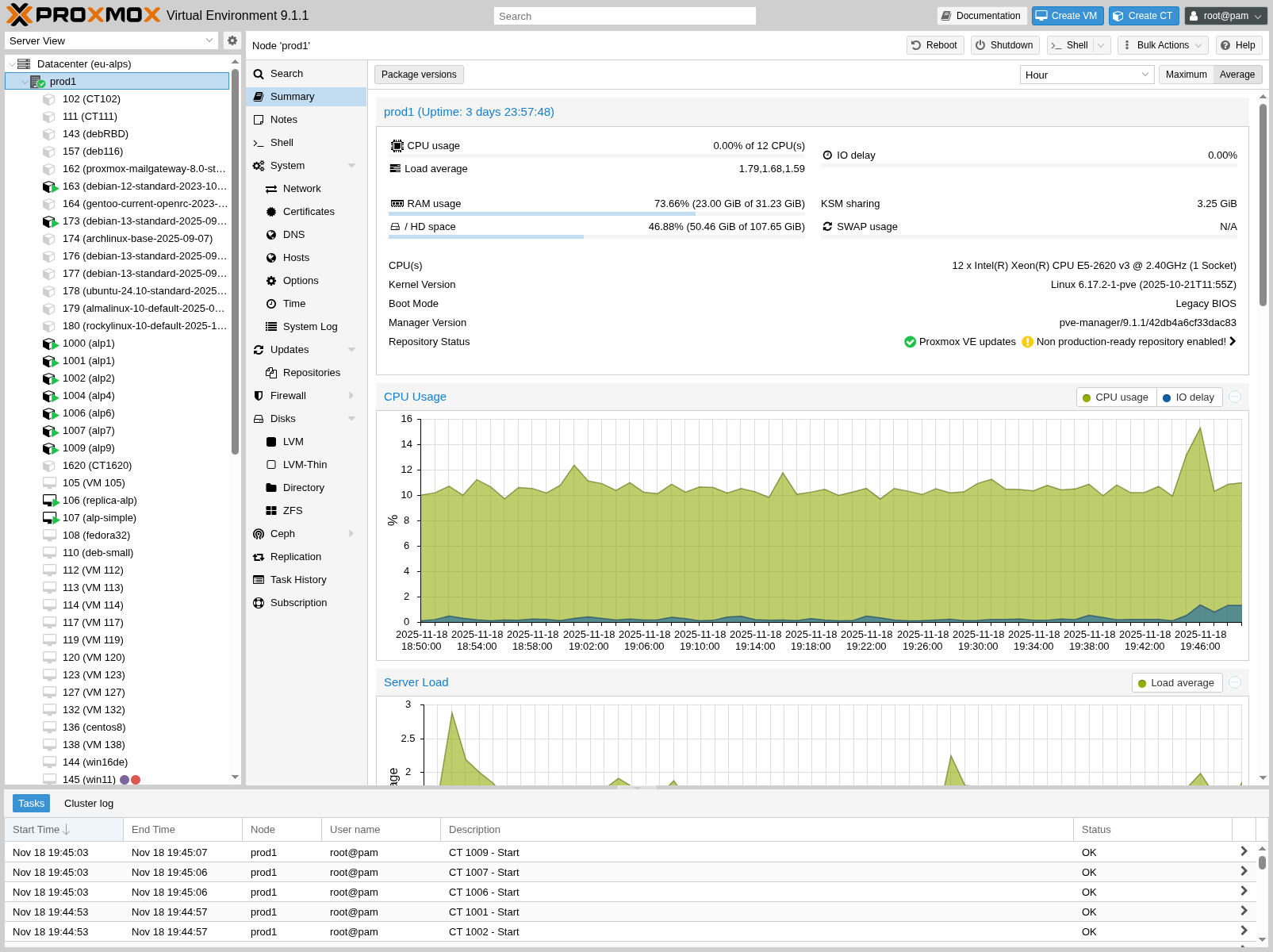 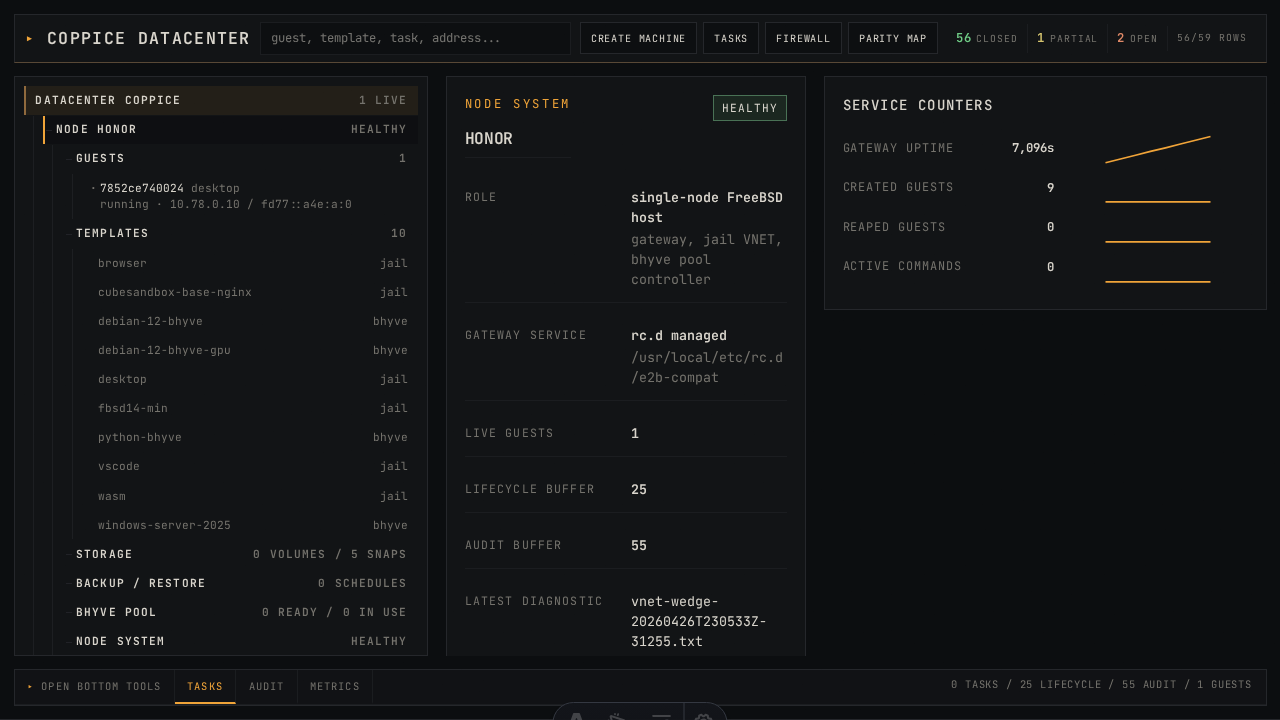 /admin/#/node/honor/summary
|
| Node System / Updates / Repos / Time / DNS | partial | 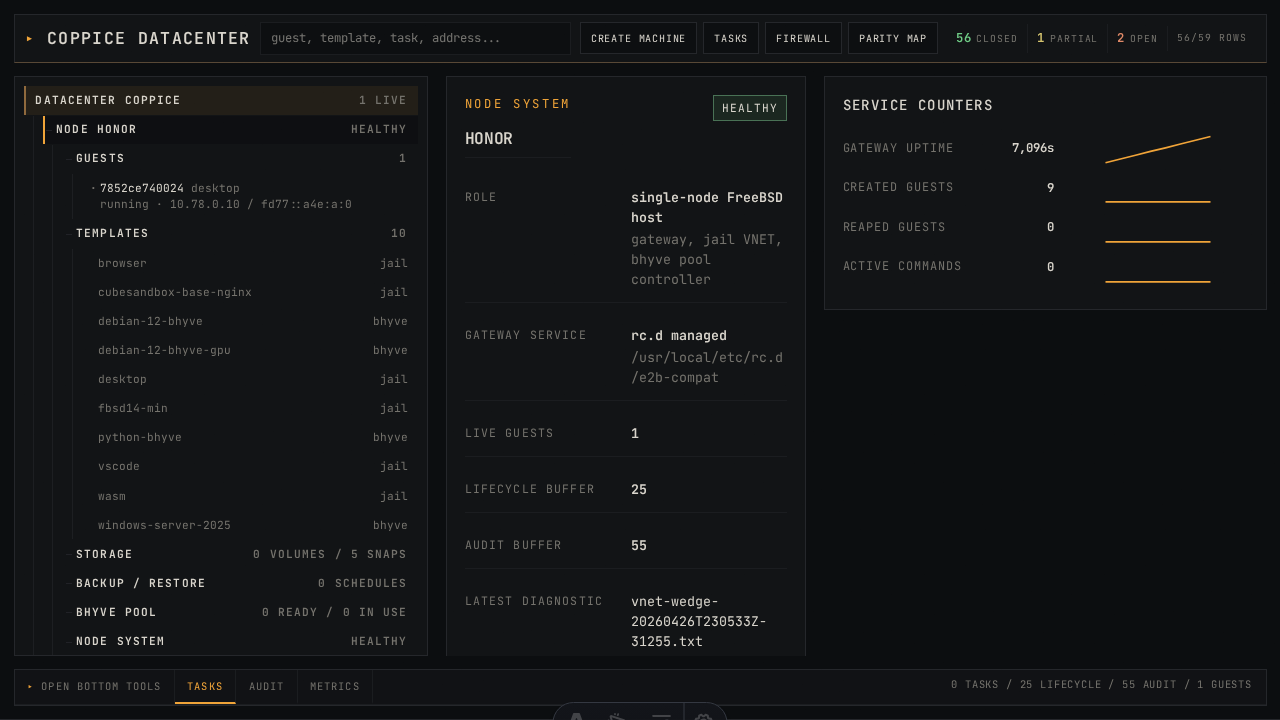 /admin/#/node/honor/system
|
| Node Disks / ZFS / LVM | partial | /admin/#/storage
|
| Node Task History | closed | 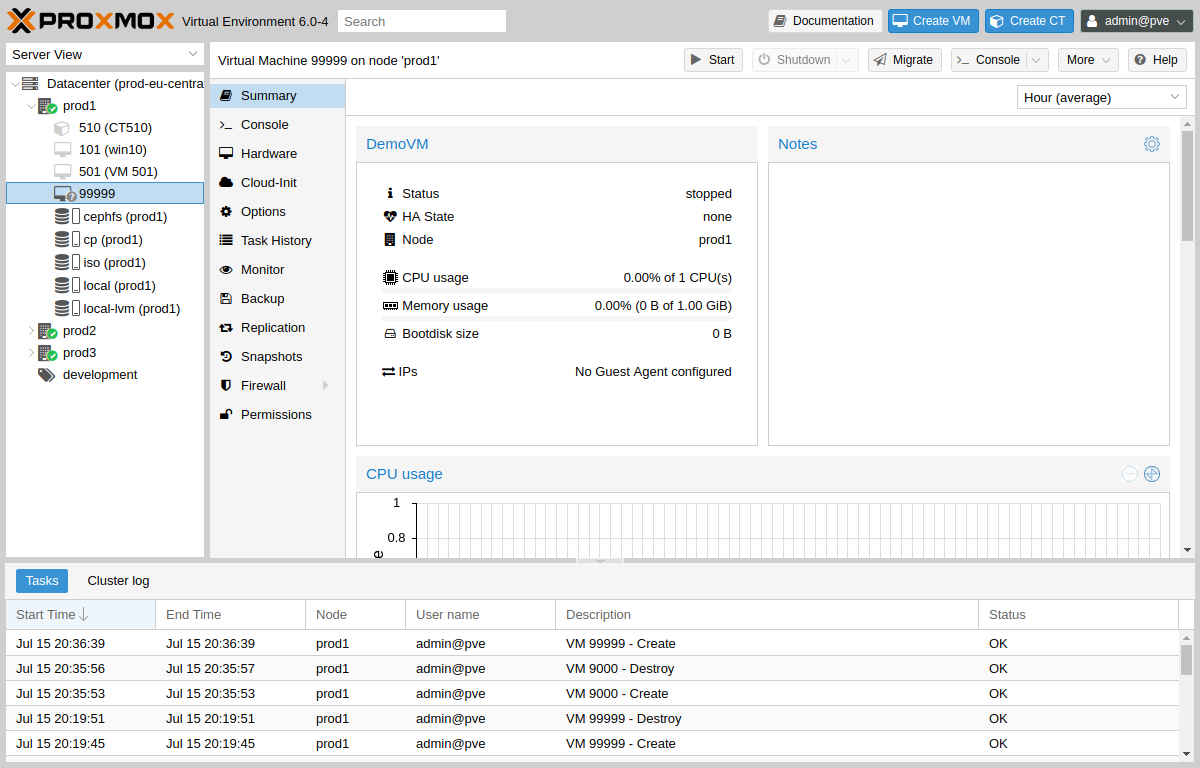 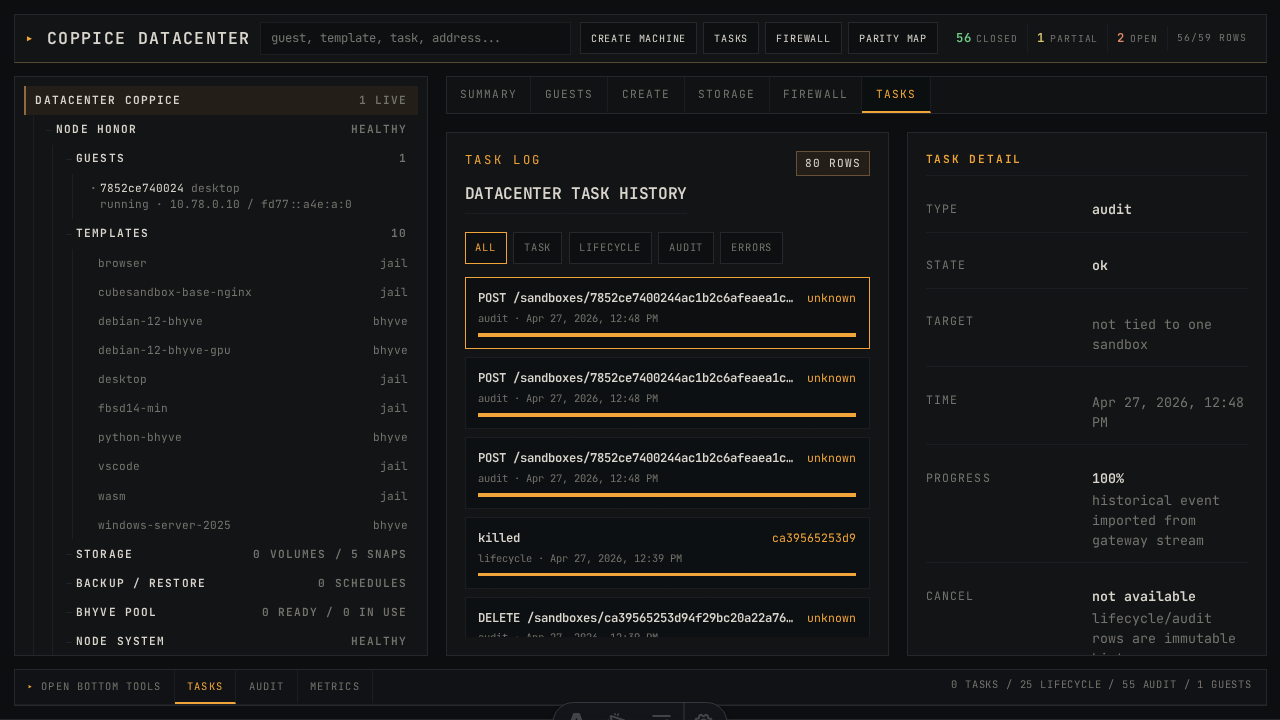 /admin/#/tasks
|
| VM Summary | partial | 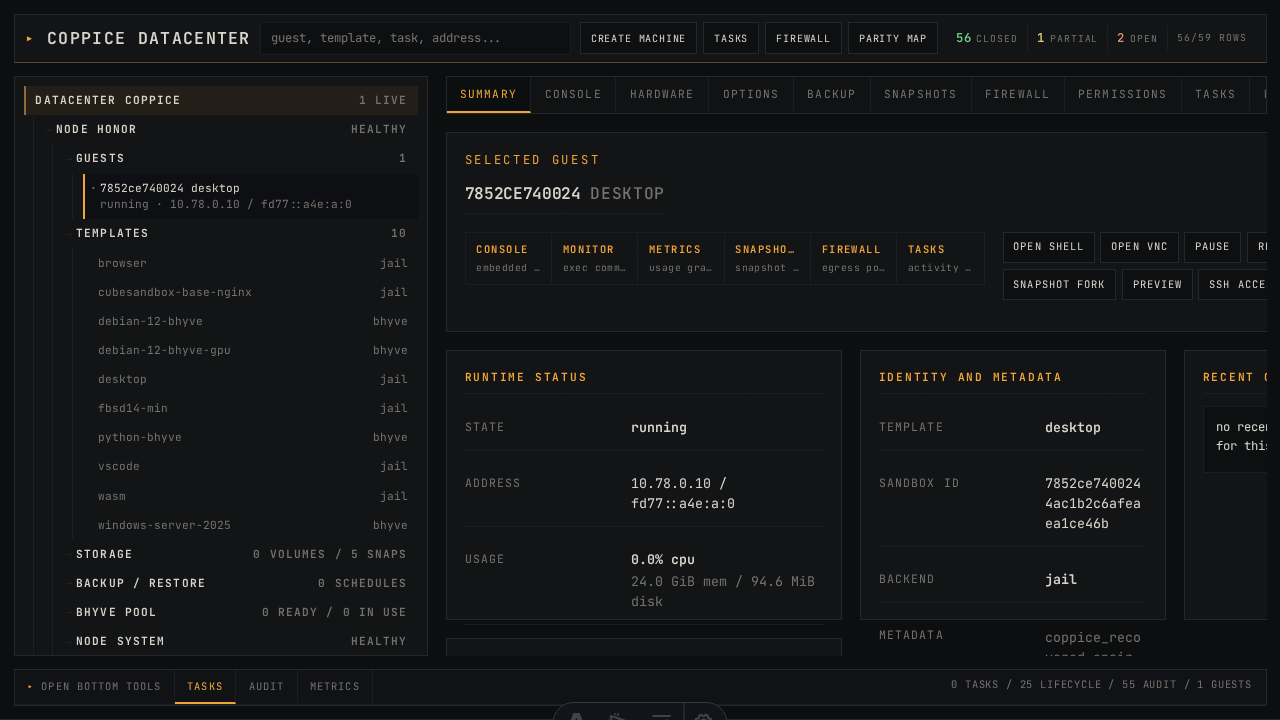 summary
|
| VM Console | closed | 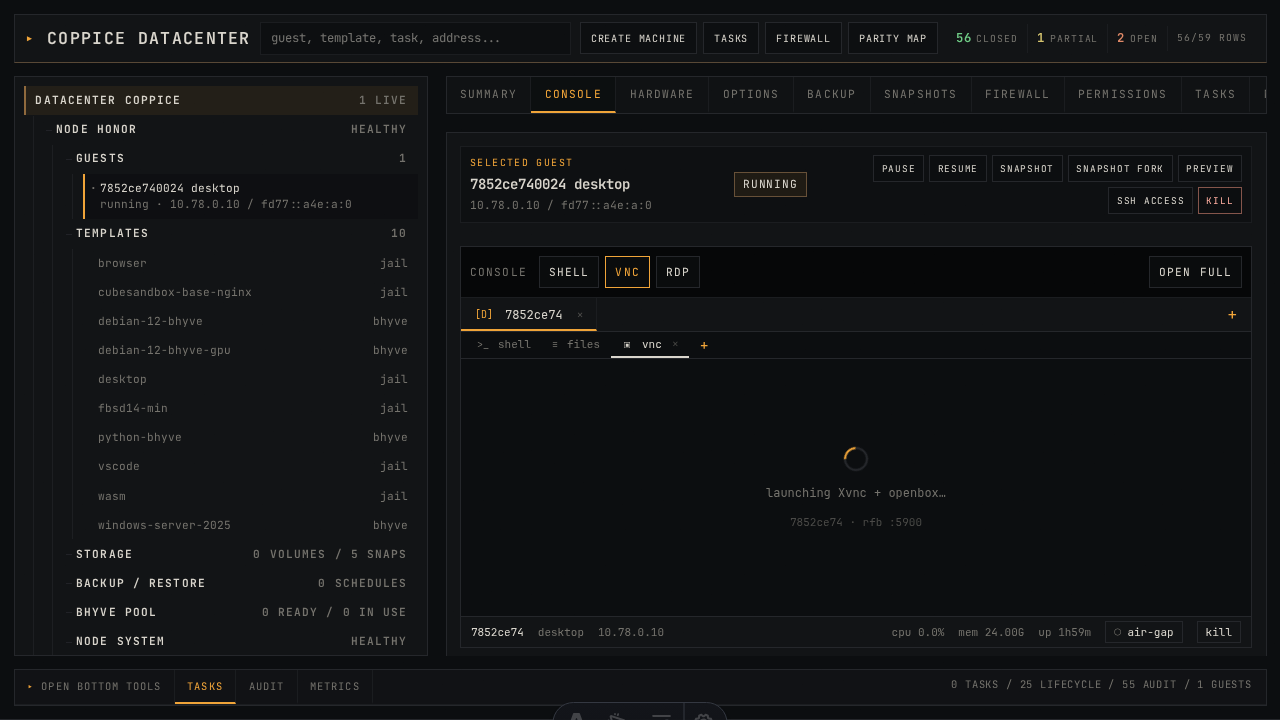 console
|
| VM Hardware | partial | 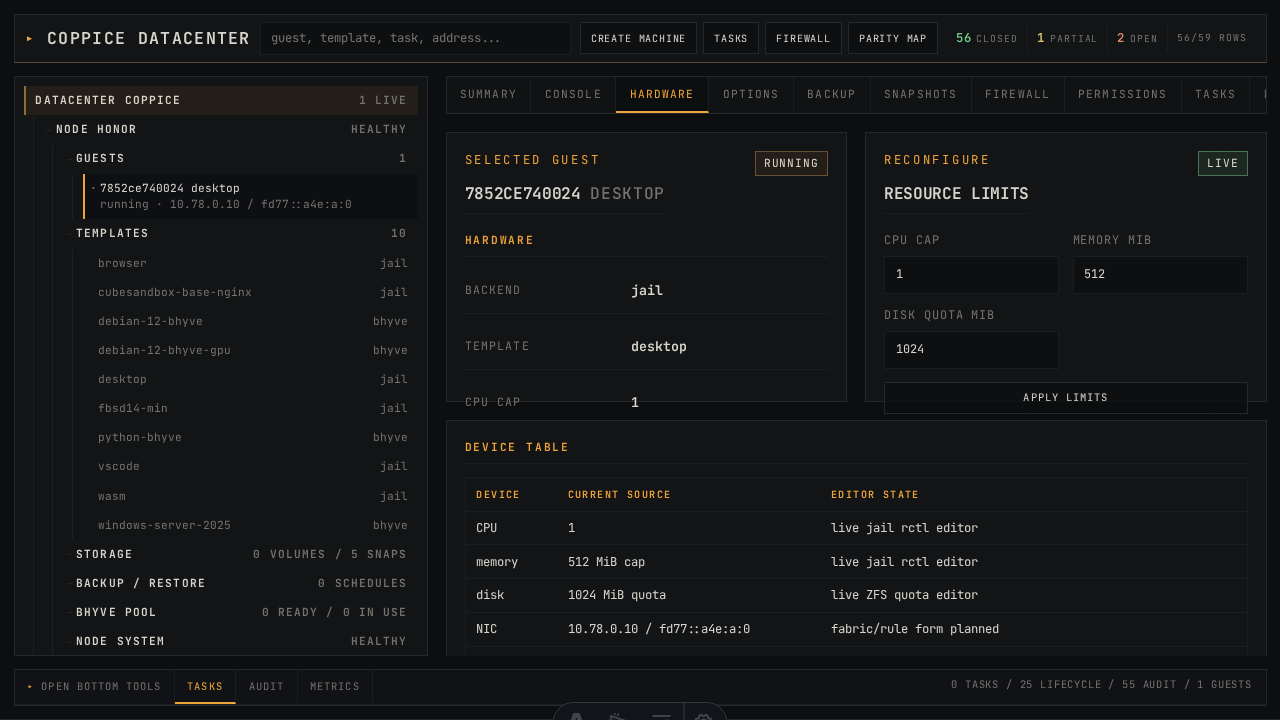 hardware
|
| VM Options | partial | 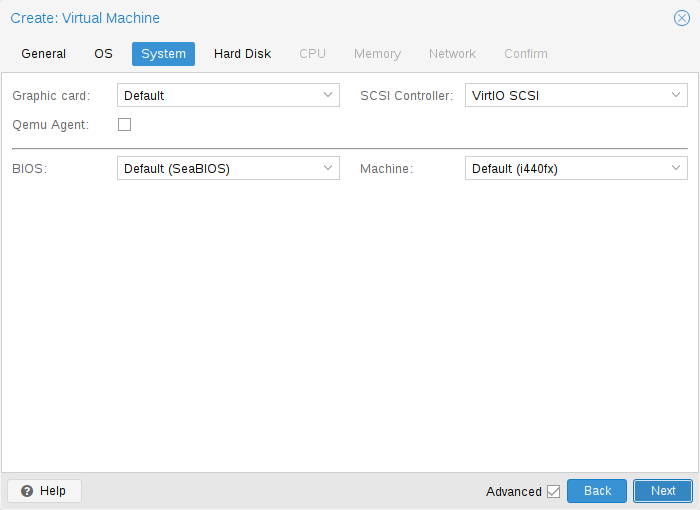 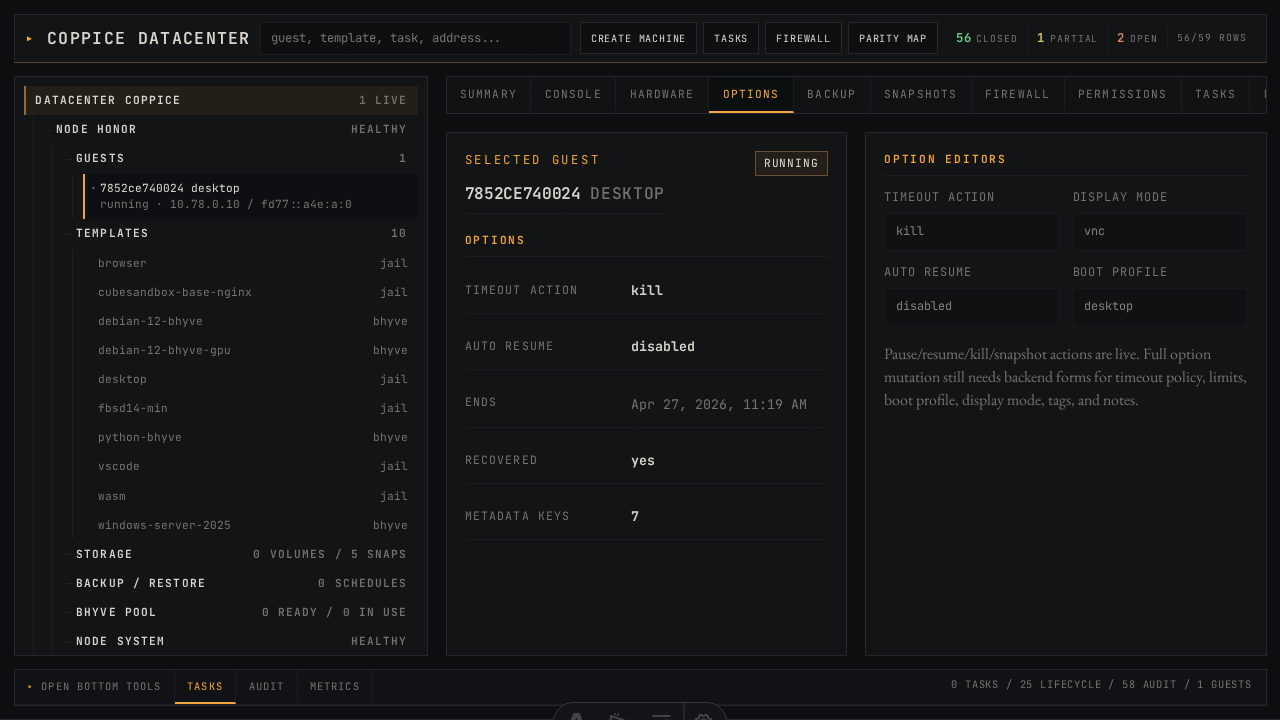 options
|
| VM Snapshots | closed | 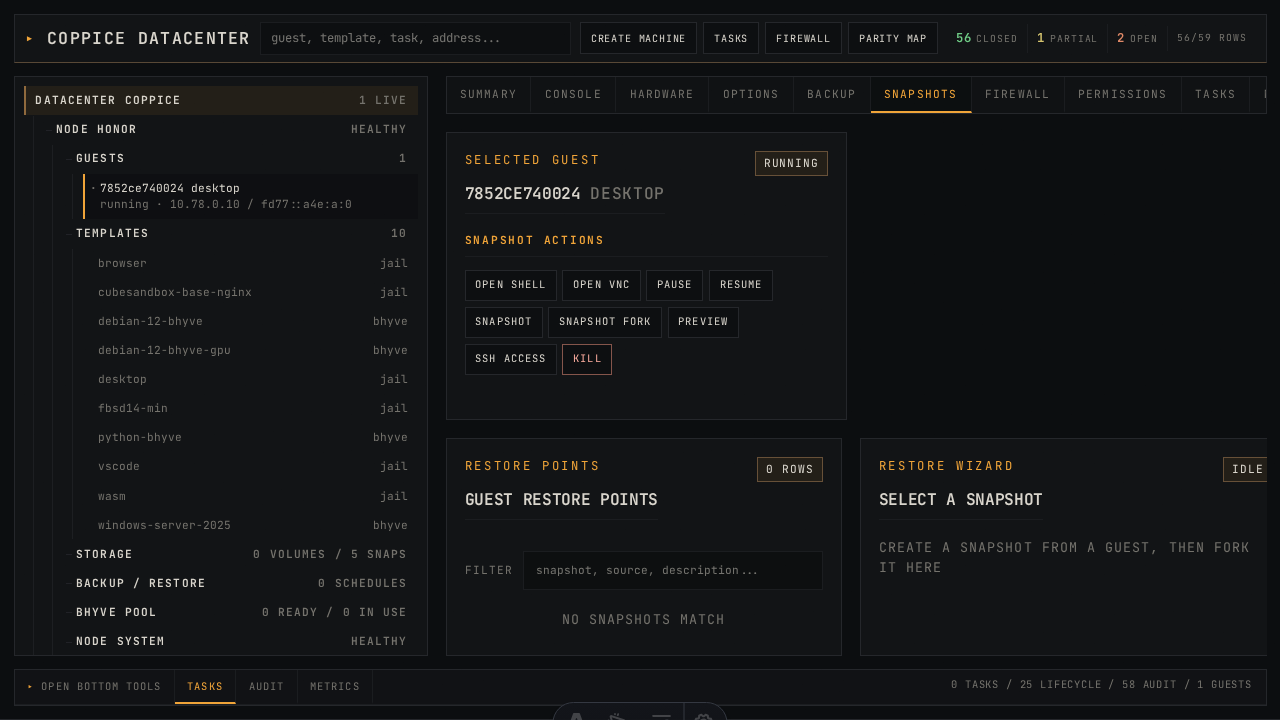 snapshots
|
| VM Backup | partial | 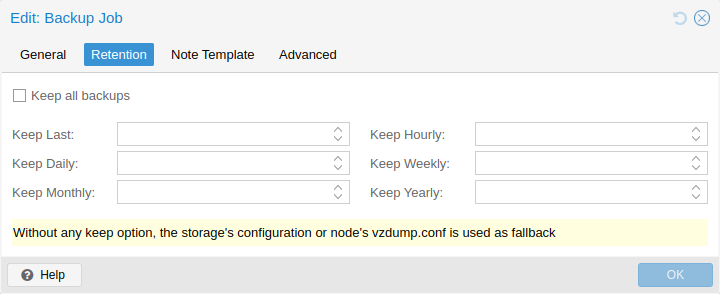 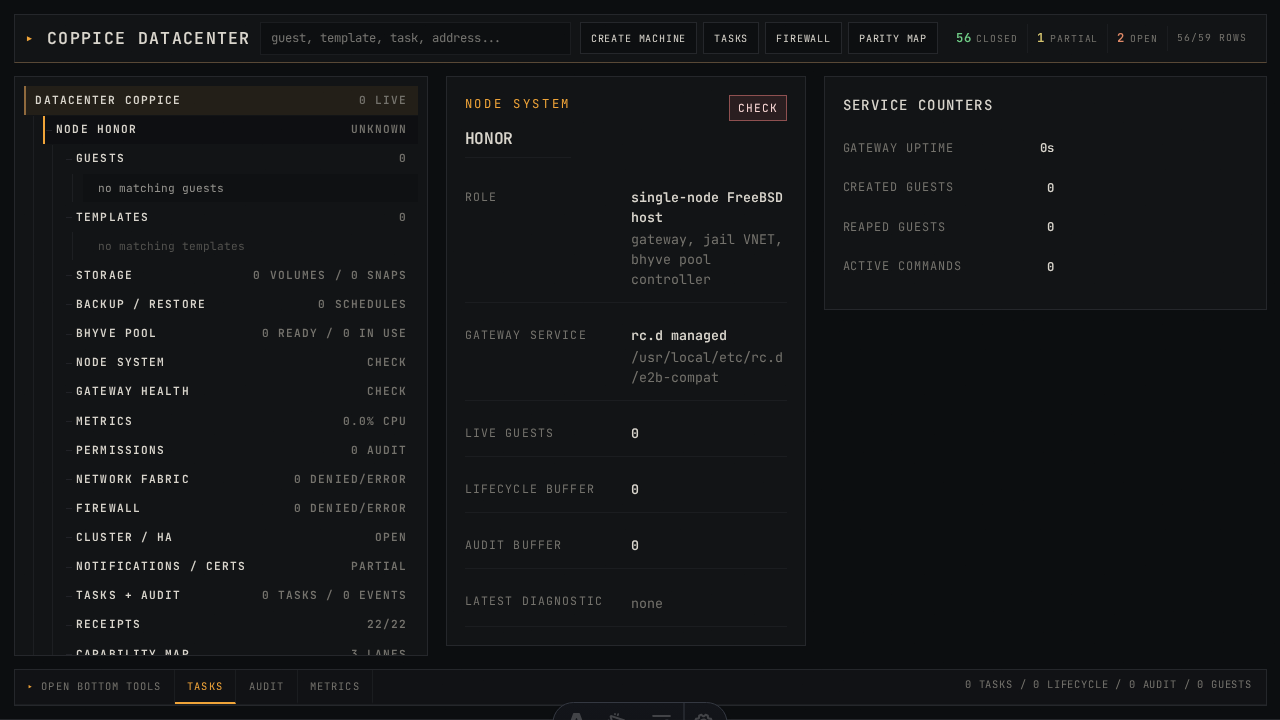 backup
|
| VM Firewall | partial | 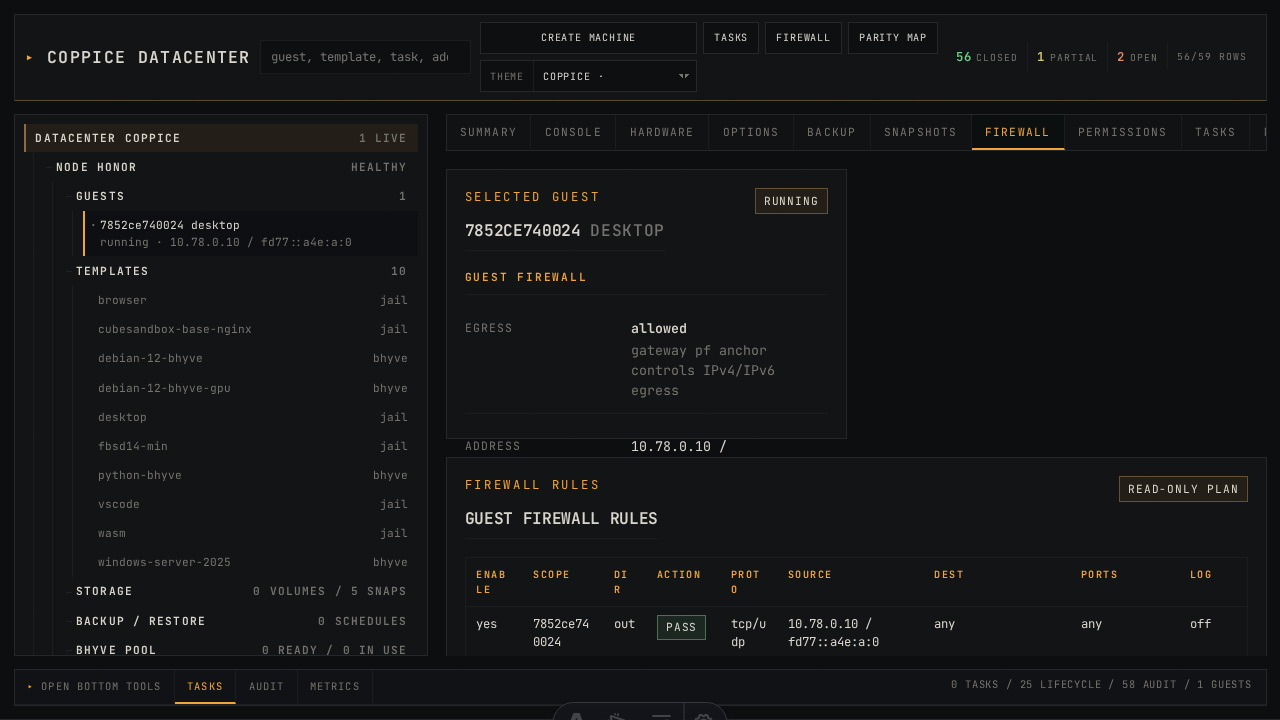 firewall
|
| VM Permissions | partial | 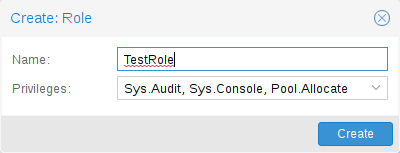 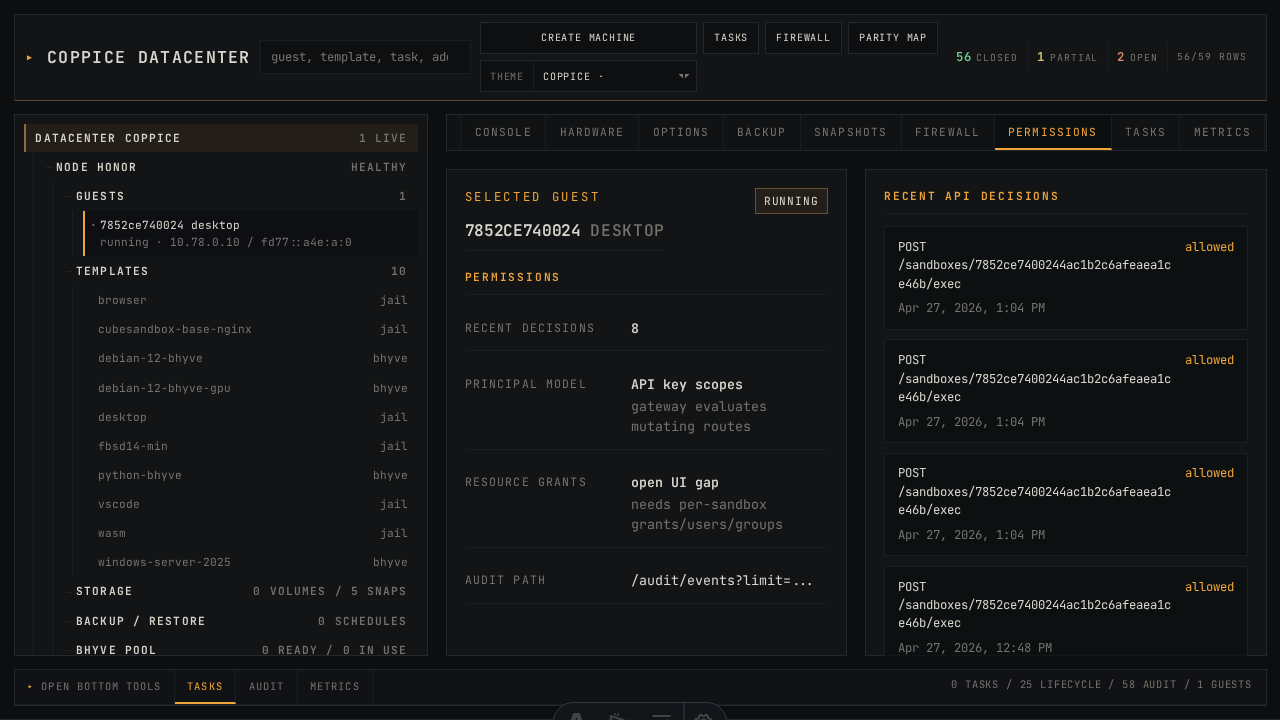 permissions
|
| Create VM Wizard | partial | 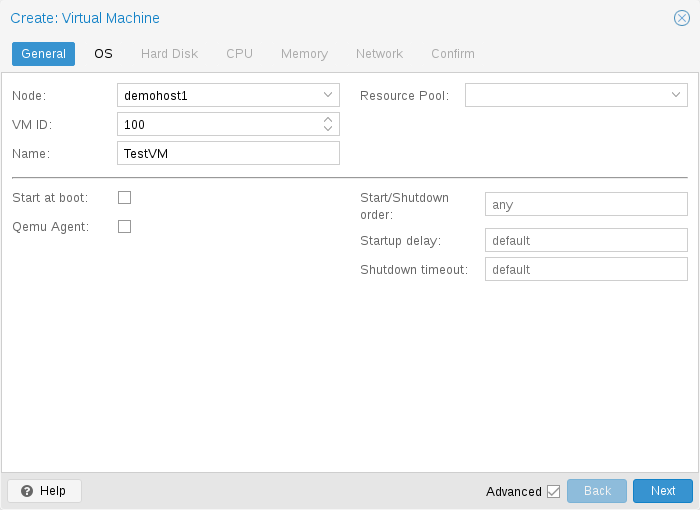 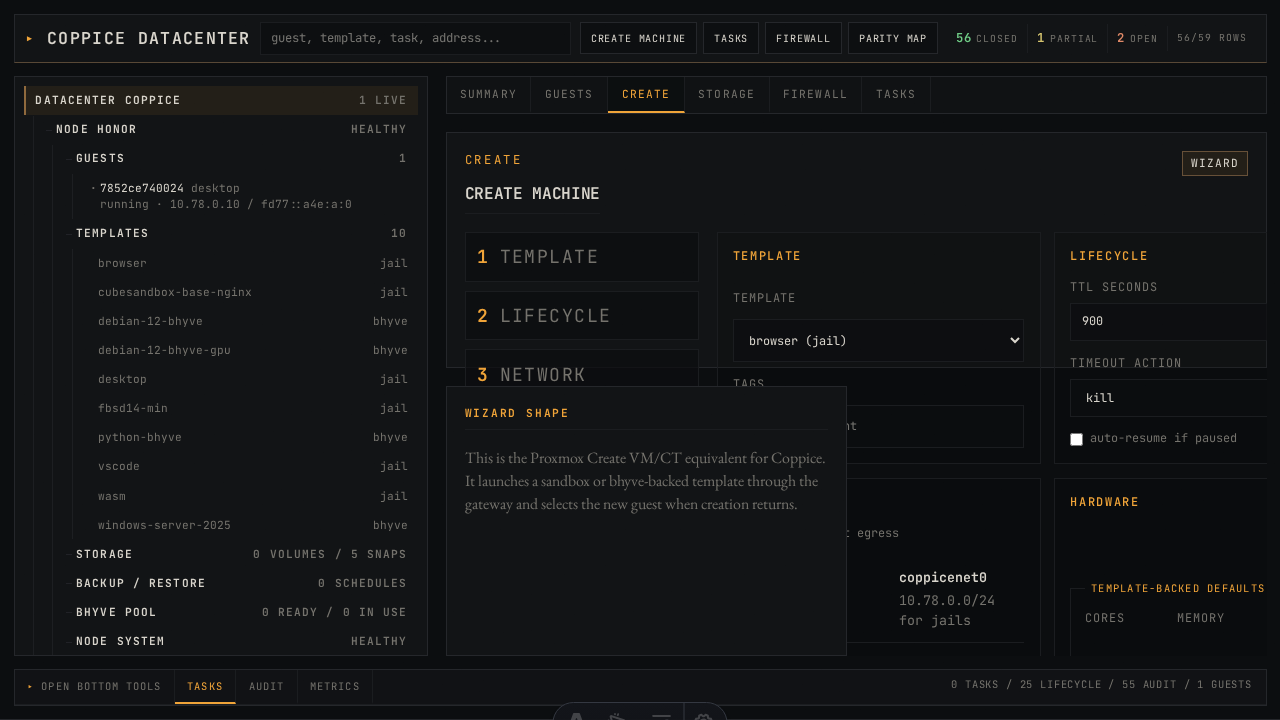 /admin Create
|
| SDN Zones / VNets / Subnets / Controllers | partial | 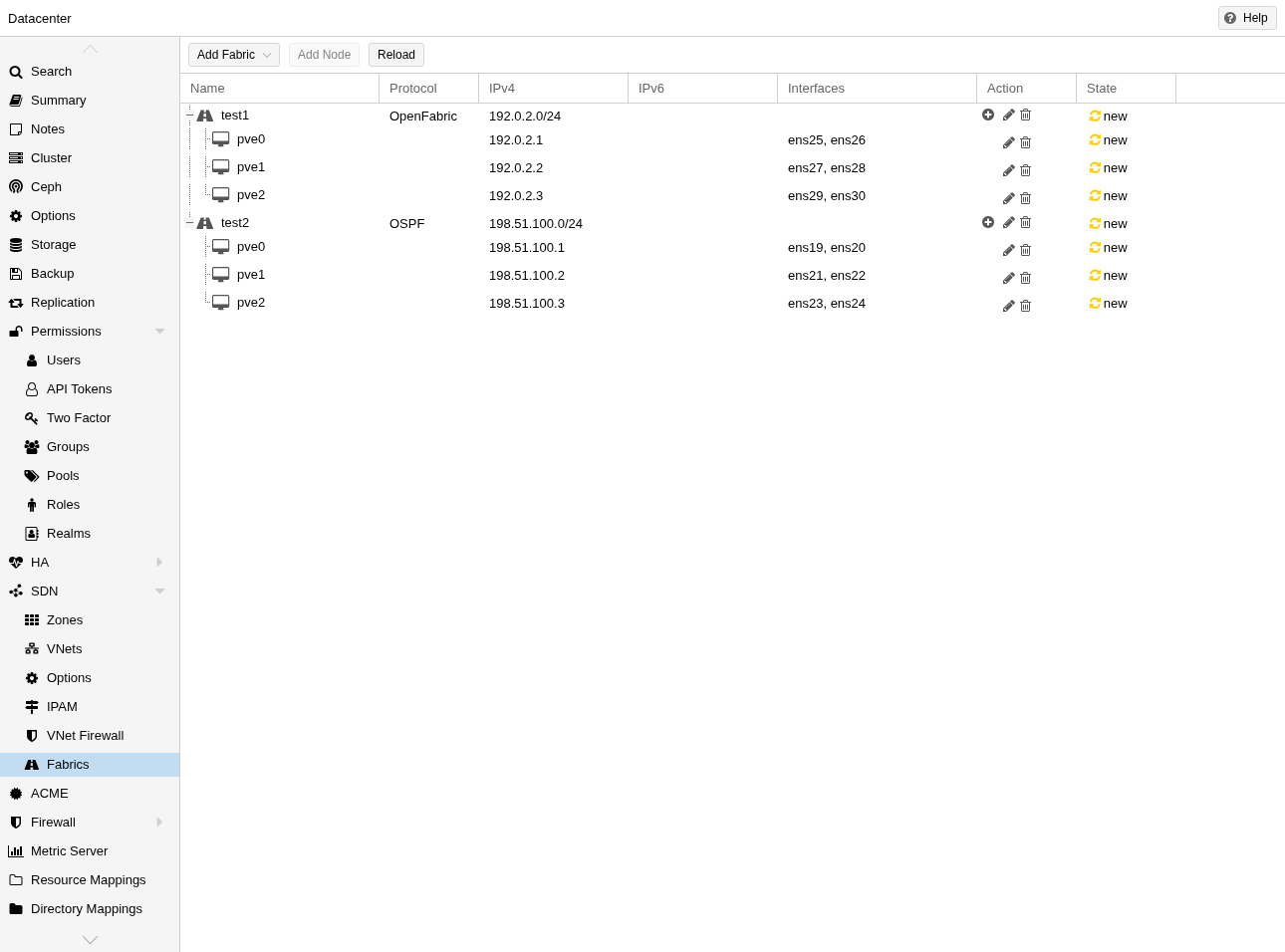 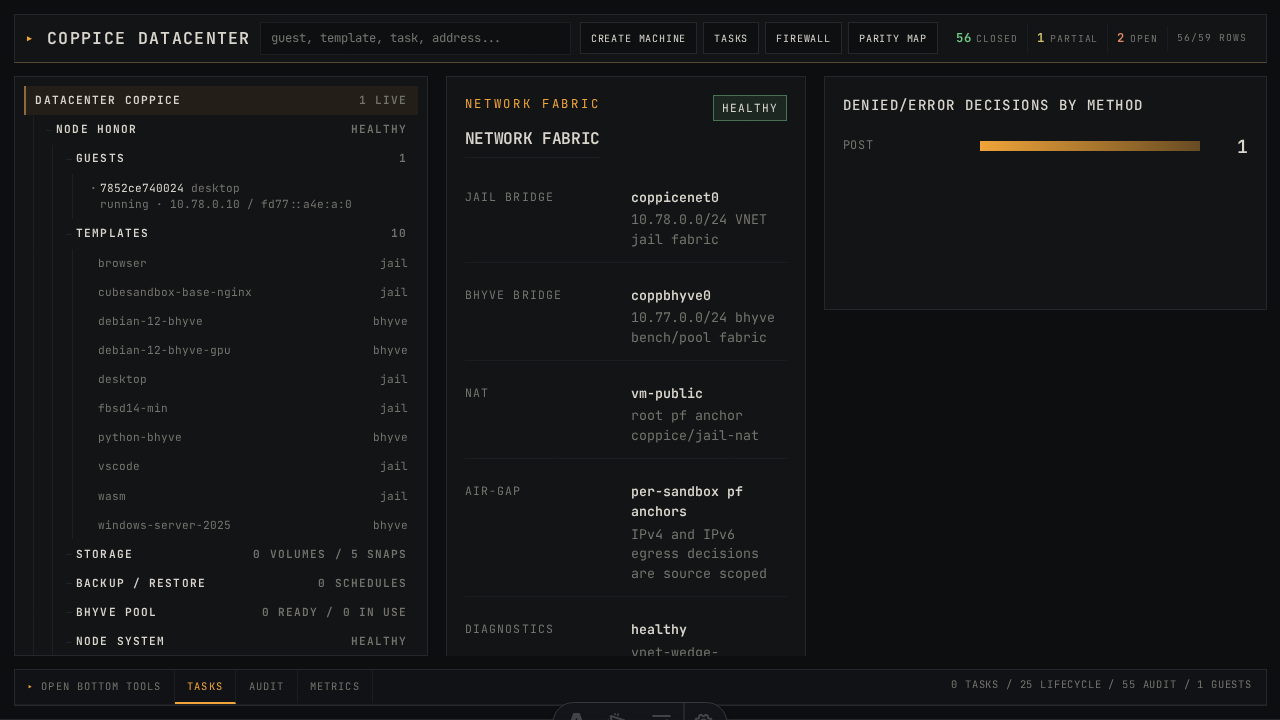 /admin/#/network
|
| Permissions: Users / Groups / Roles / Pools / Realms / 2FA | open | 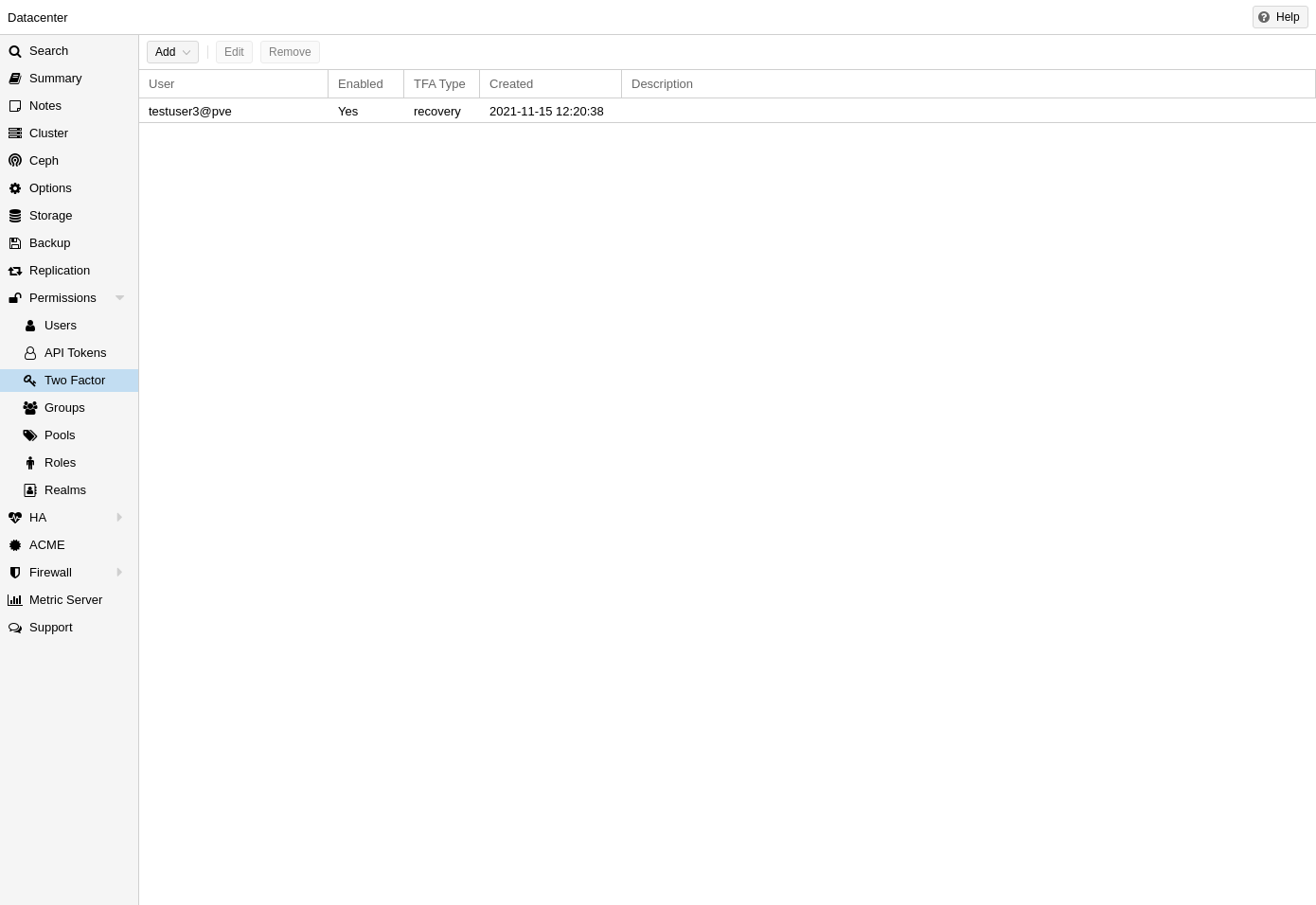 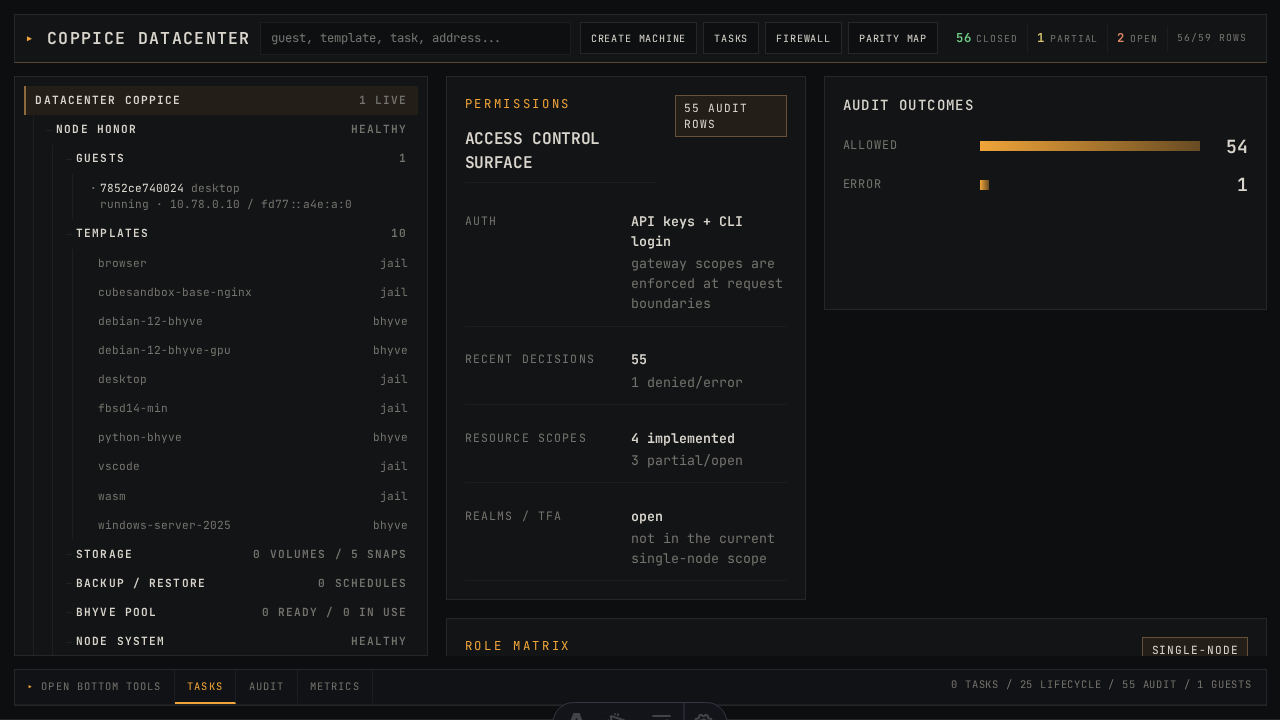 /admin/#/permissions
|
| My Settings | na | 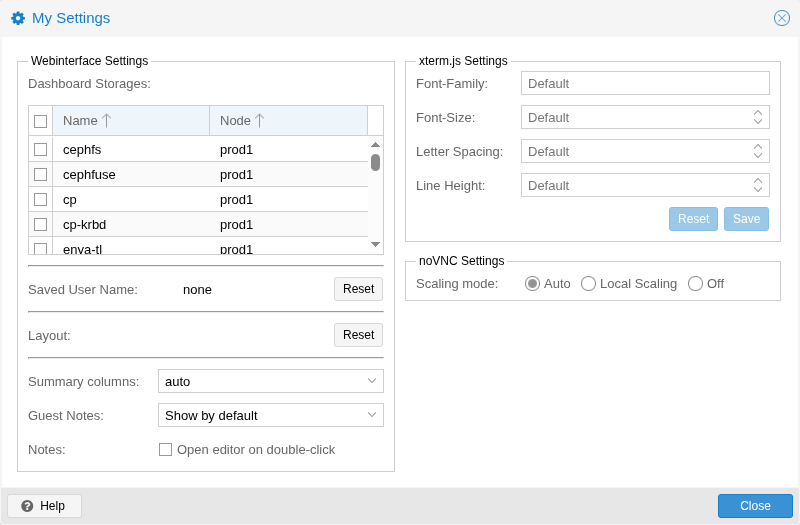 /admin
|
Verdict tally: 4 closed, 14 partial, 1 open, 1 na. The partials are concentrated on host operations (node tabs, disks, updates), per-VM options/permissions/firewall depth, and the create-VM wizard step count. The single open row is the user/group/role/realm CRUD under Permissions; everything else is an edit-form gap on top of an already shipped read view.